AURORA
SKINS

Dress Aurora your way

A skin changes Aurora's whole look: its colors, its fonts, its drawings, all the way to the game overlay. You buy it once, install it in two clicks, and go back to the free themes whenever you like.

“Aurora is free, and it will stay that way, its five themes too. Skins are how I keep it going: every skin you buy helps me keep Aurora signed, up to date and ad-free. Thank you!”

— Denis

PIXEL

The feel of block-building games

CA$3
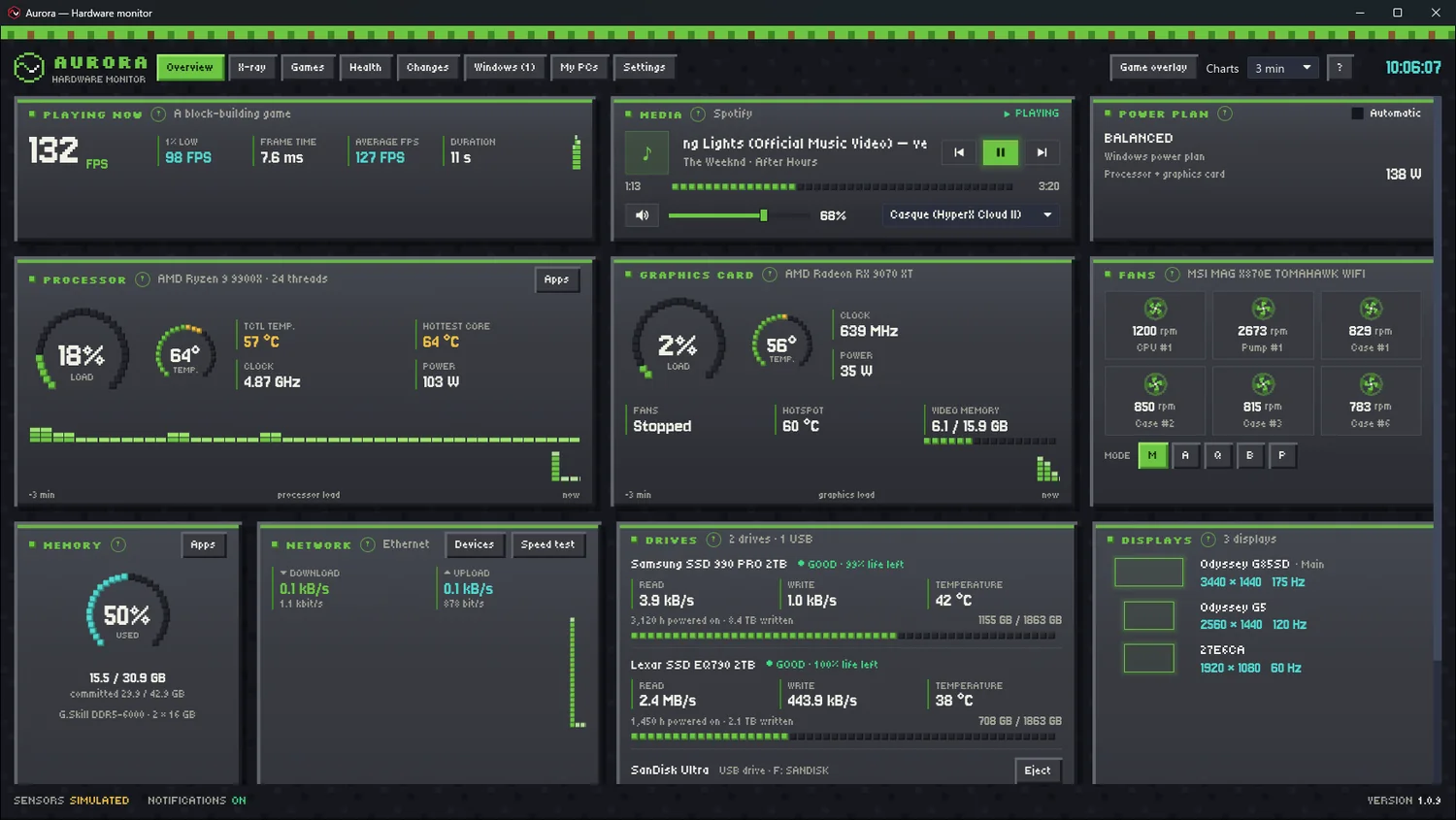
Aurora's dashboard wearing the Pixel skin: stone panels, a grass strip, block gauges

Stone panels with pixel bevels, a grass strip across the top of the window, ring gauges made of blocks that go from grass to gold to lava as things heat up, block-column charts, block fans that really spin.

And in game, the overlay follows: panel, HUD or bar, all in blocks, nothing cut off.

  • All of Aurora dressed up: dashboard, tabs, Settings, game overlay
  • Three free pixel fonts: Jersey 10, Silkscreen and Tiny5, accents included
  • In French and English, like Aurora
  • Aurora 1.0.9 or newer, Windows 10 and 11
  • One 236 KB file, signed by Aurora: no program
Buy Pixel · CA$3

Secure payment through Polar, your country's taxes calculated at checkout. The file downloads right away. Terms of sale and refunds.
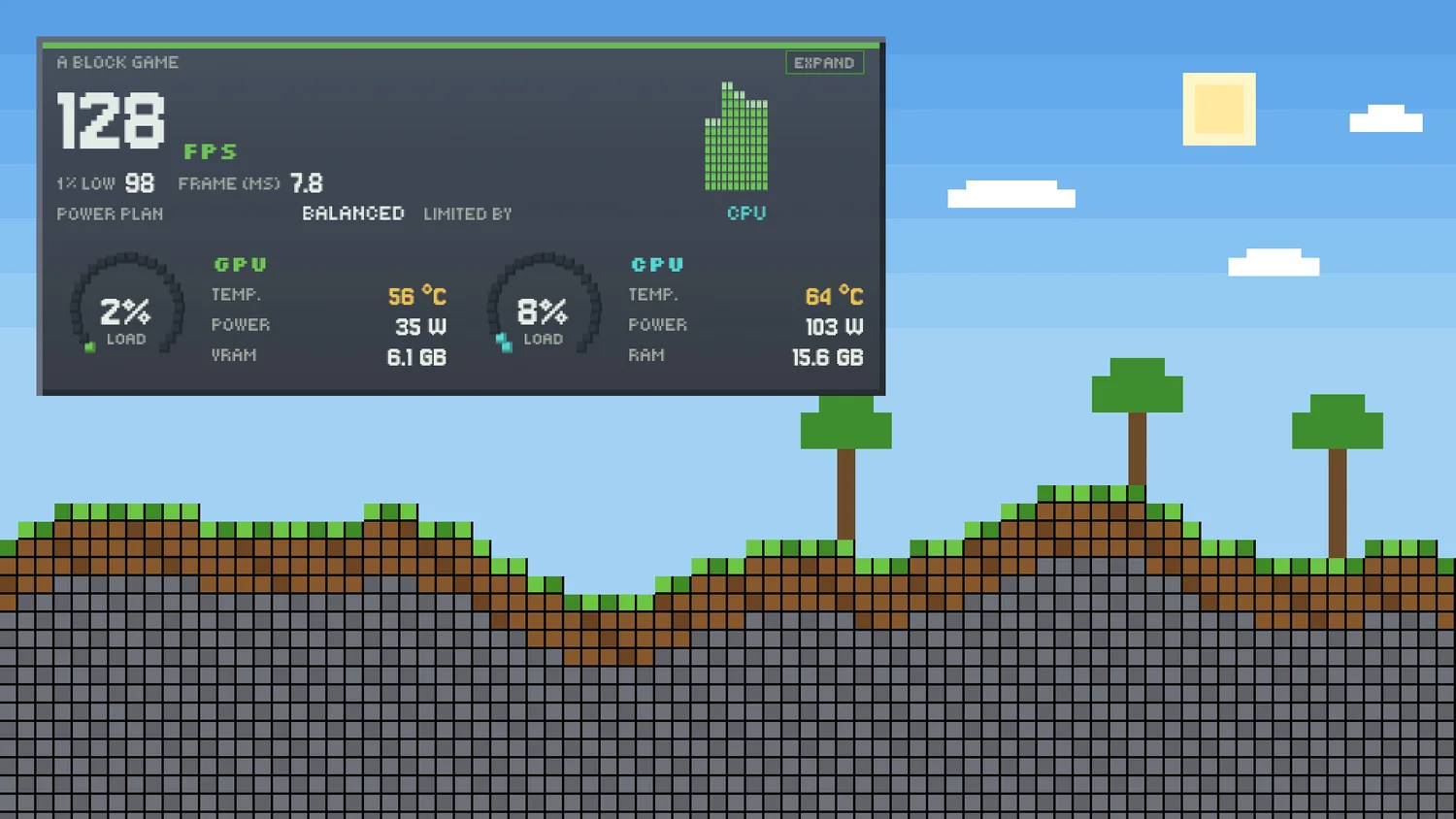
The HUD game overlay wearing Pixel, over a block game
The game overlay, as a HUD: FPS, what limits them, graphics card and processor.
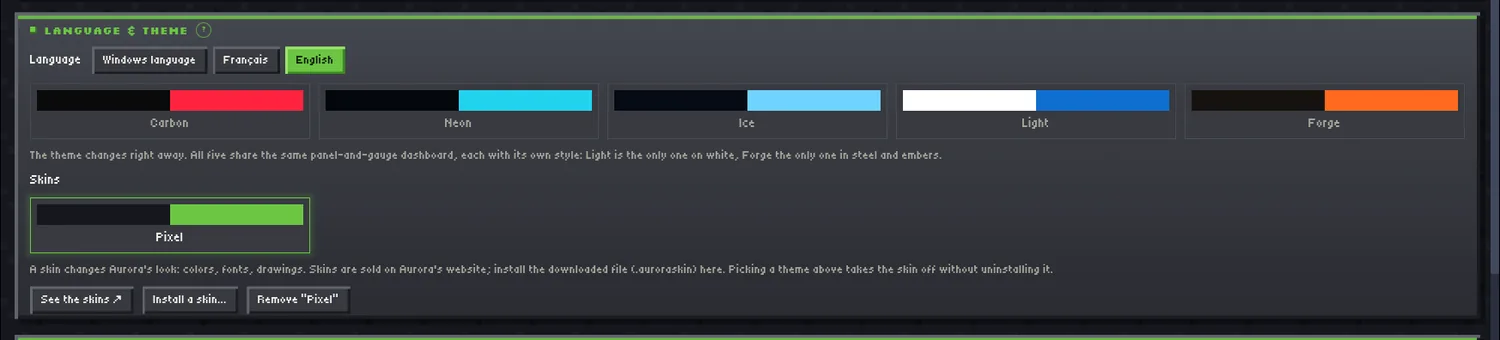
Settings, Language & theme panel: the Skins row, Pixel worn
In Settings, under the themes: one click to wear Pixel, another to go back to your theme.

SQUAD

The feel of tactical shooters

CA$3

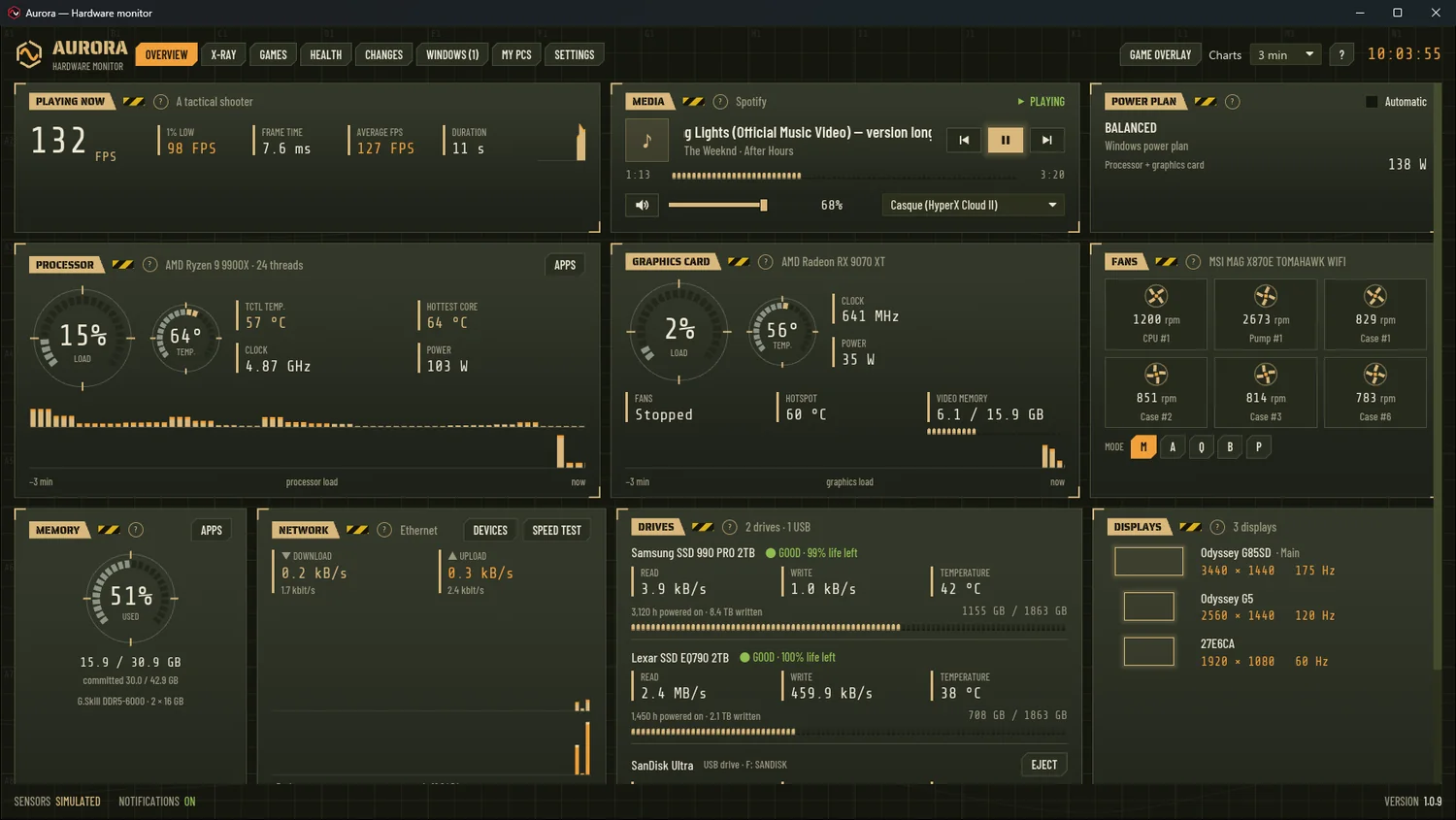
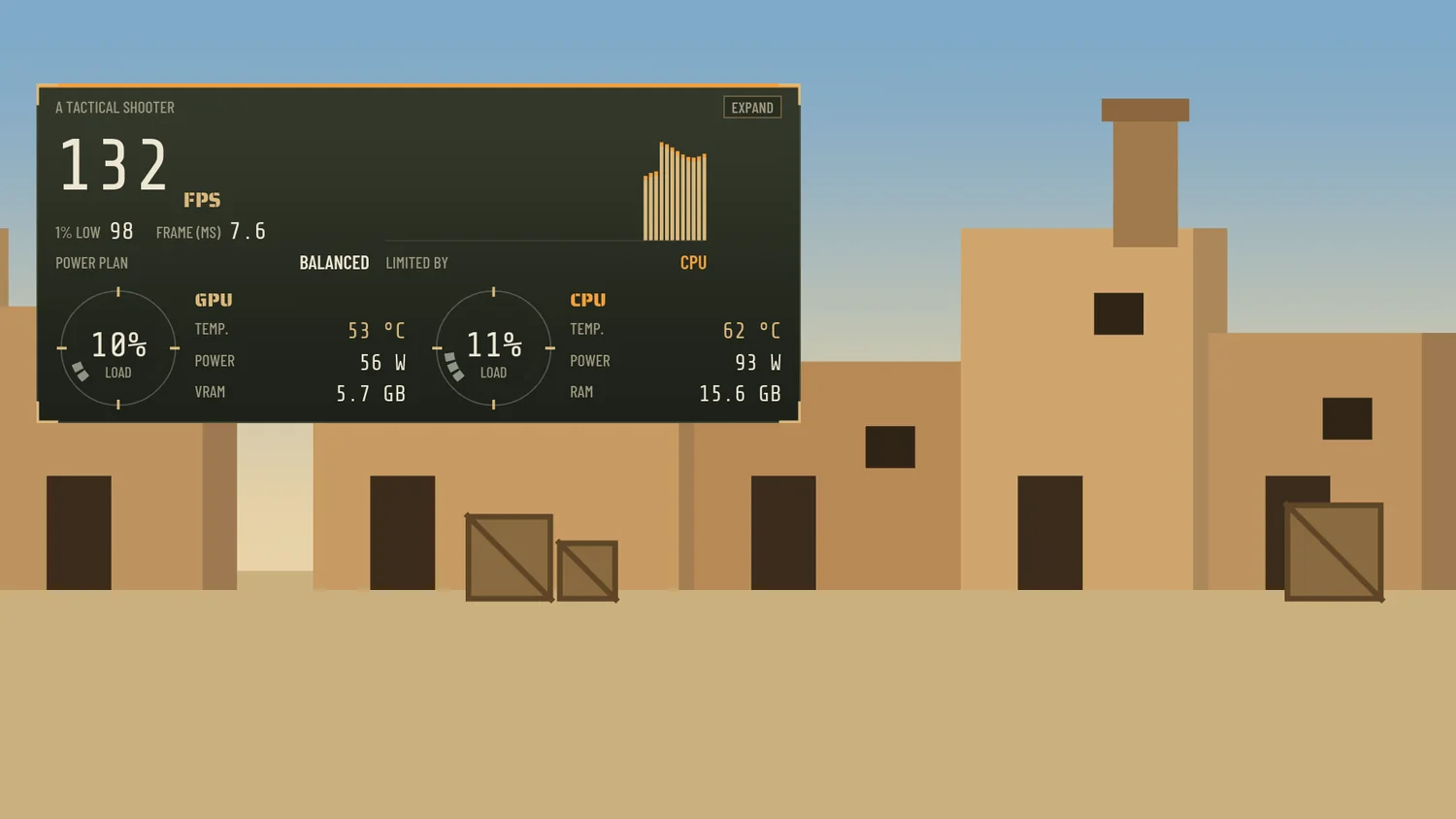
Aurora's dashboard wearing the Squad skin: olive steel plates, stencilled titles, reticle gauges

A gridded operations-map backdrop, olive steel plates with targeting brackets, stencilled titles followed by a strip of hazard tape, reticle gauges, line charts with orange tips, memory in cartridges.

And in game, the overlay follows: panel, HUD or bar, with its brackets, nothing cut off. Behind its preview in the Games tab: a terracotta village.

  • All of Aurora dressed up: dashboard, tabs, Settings, game overlay
  • Three free fonts: Saira Stencil One, Barlow Condensed and Share Tech Mono, accents included
  • In French and English, like Aurora
  • Aurora 1.0.9 or newer, Windows 10 and 11
  • One 359 KB file, signed by Aurora: no program
Buy Squad · CA$3

Secure payment through Polar, your country's taxes calculated at checkout. The file downloads right away. Terms of sale and refunds.
The HUD game overlay wearing Squad, on the terracotta village of its preview
The game overlay, as a HUD: FPS, what limits them, graphics card and processor.
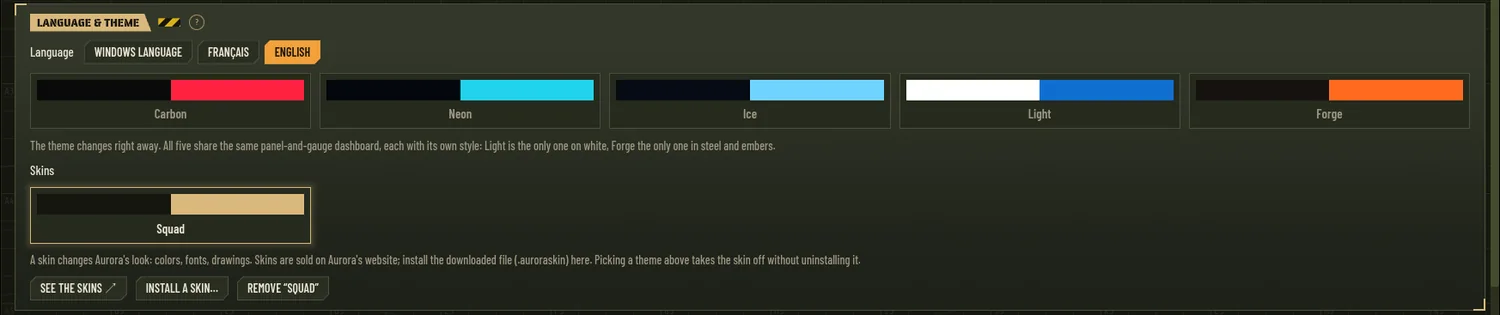
Settings, Language & theme panel: the Skins row, Squad worn
In Settings, under the themes: one click to wear Squad, another to go back to your theme.

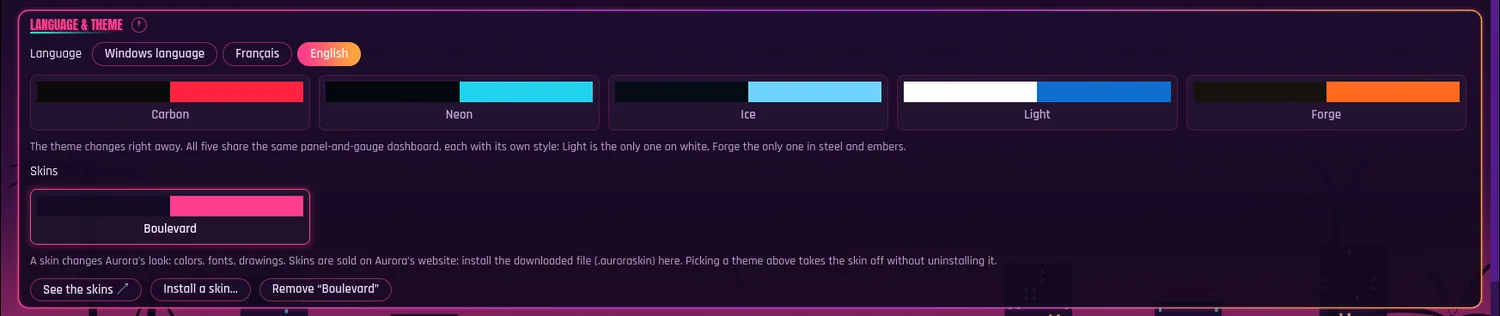
Boulevard

The feel of open-city games

CA$3

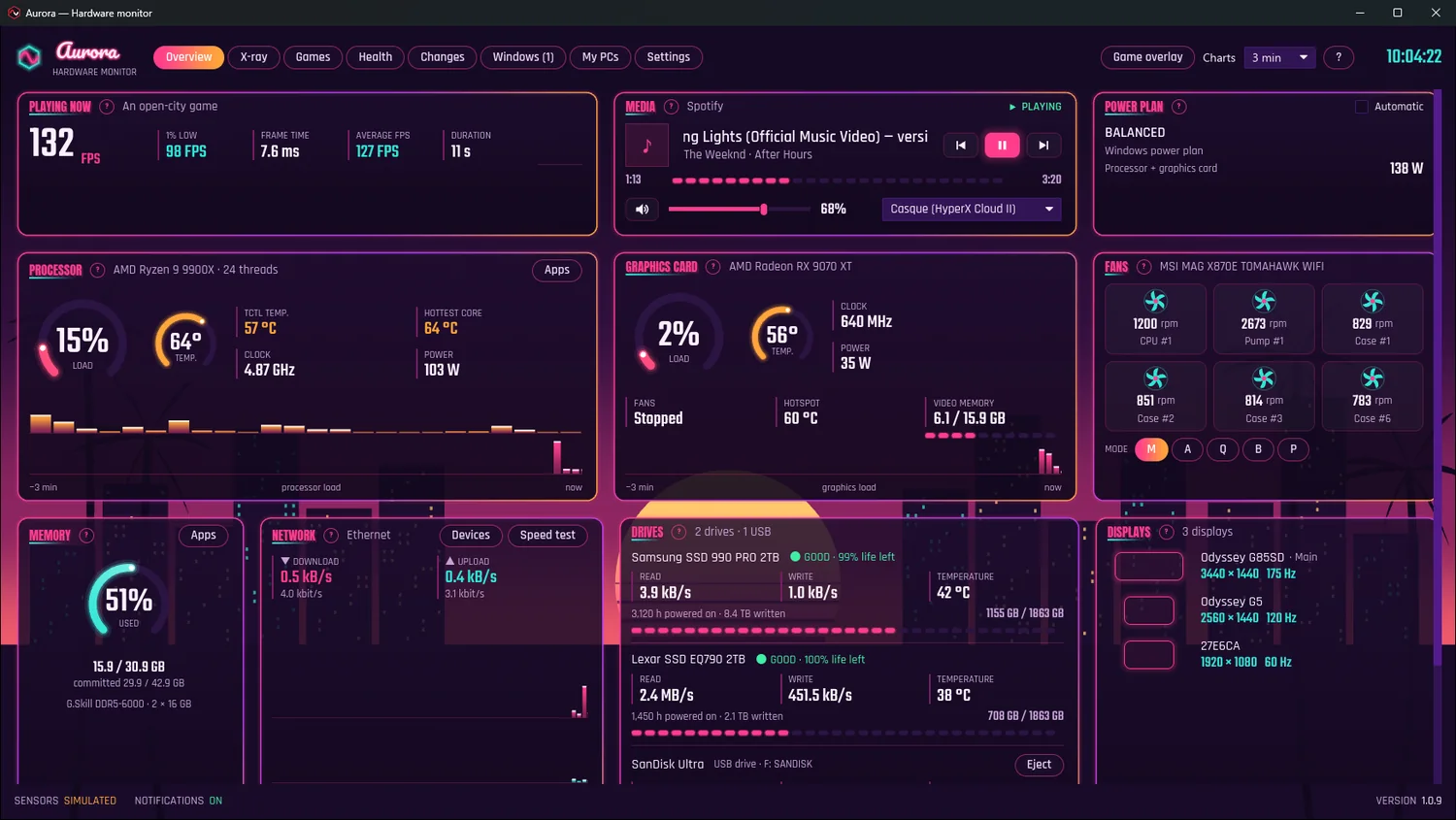
Aurora's dashboard wearing the Boulevard skin: the city at sunset, glass panels with neon outlines

The city at sunset behind the whole window: a purple sky turning pink and orange, the striped sun, skyscrapers with lit windows, palm trees. On top, dark glass panels with neon outlines, Aurora's name as a glowing sign, bold headline titles, neon gauges and equalizers.

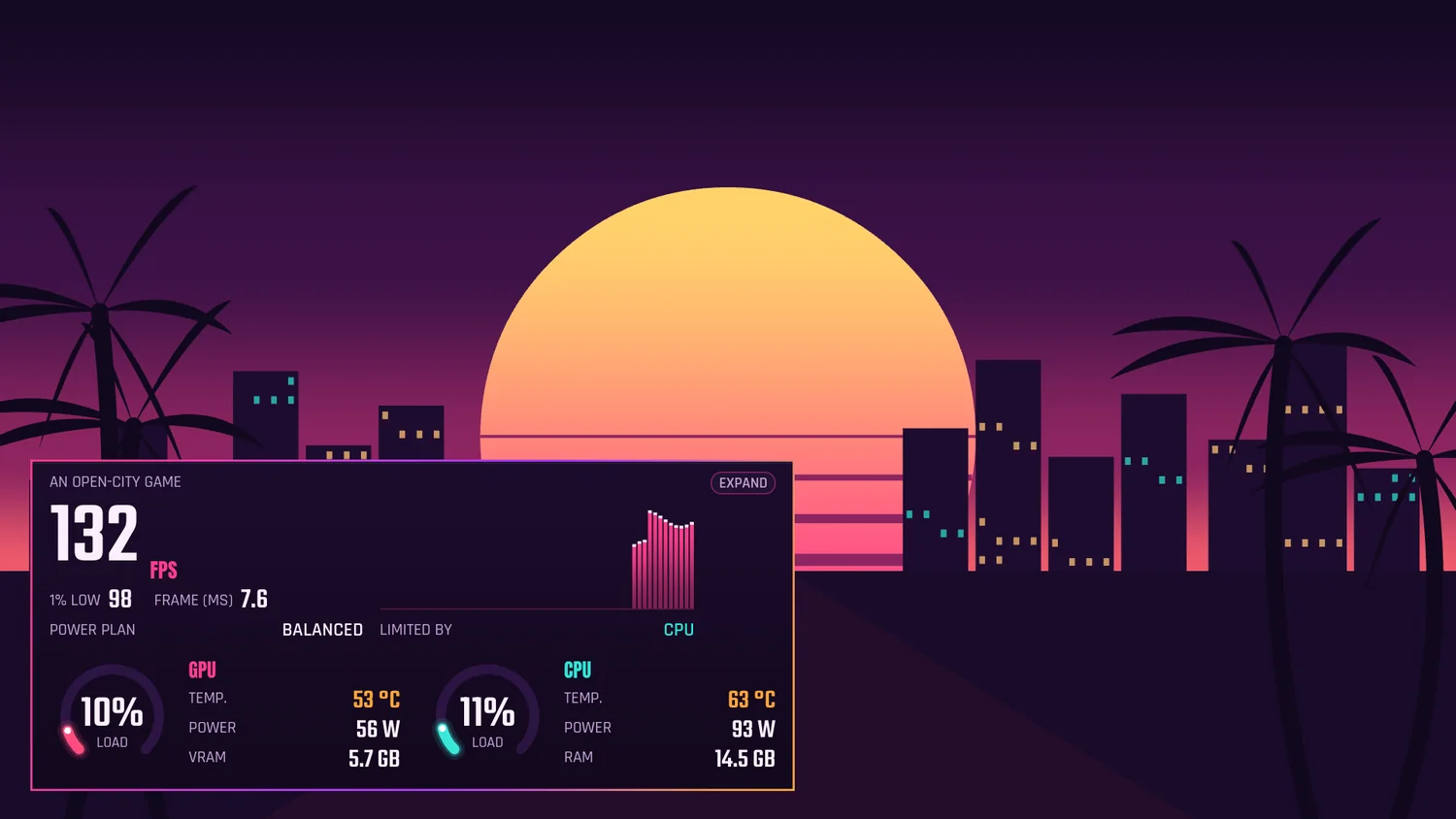
And in game, the overlay follows: panel, HUD or bar, in neon. Behind its preview in the Games tab: a boulevard running toward the sun.

  • All of Aurora dressed up: dashboard, tabs, Settings, game overlay
  • Pacifico for the sign and Anton for the titles, free fonts, accents included
  • In French and English, like Aurora
  • Aurora 1.0.9 or newer, Windows 10 and 11
  • One 490 KB file, signed by Aurora: no program
Buy Boulevard · CA$3

Secure payment through Polar, your country's taxes calculated at checkout. The file downloads right away. Terms of sale and refunds.
The HUD game overlay wearing Boulevard, on the sunset boulevard of its preview
The game overlay, as a HUD: FPS, what limits them, graphics card and processor.
Settings, Language & theme panel: the Skins row, Boulevard worn
In Settings, under the themes: one click to wear Boulevard, another to go back to your theme.

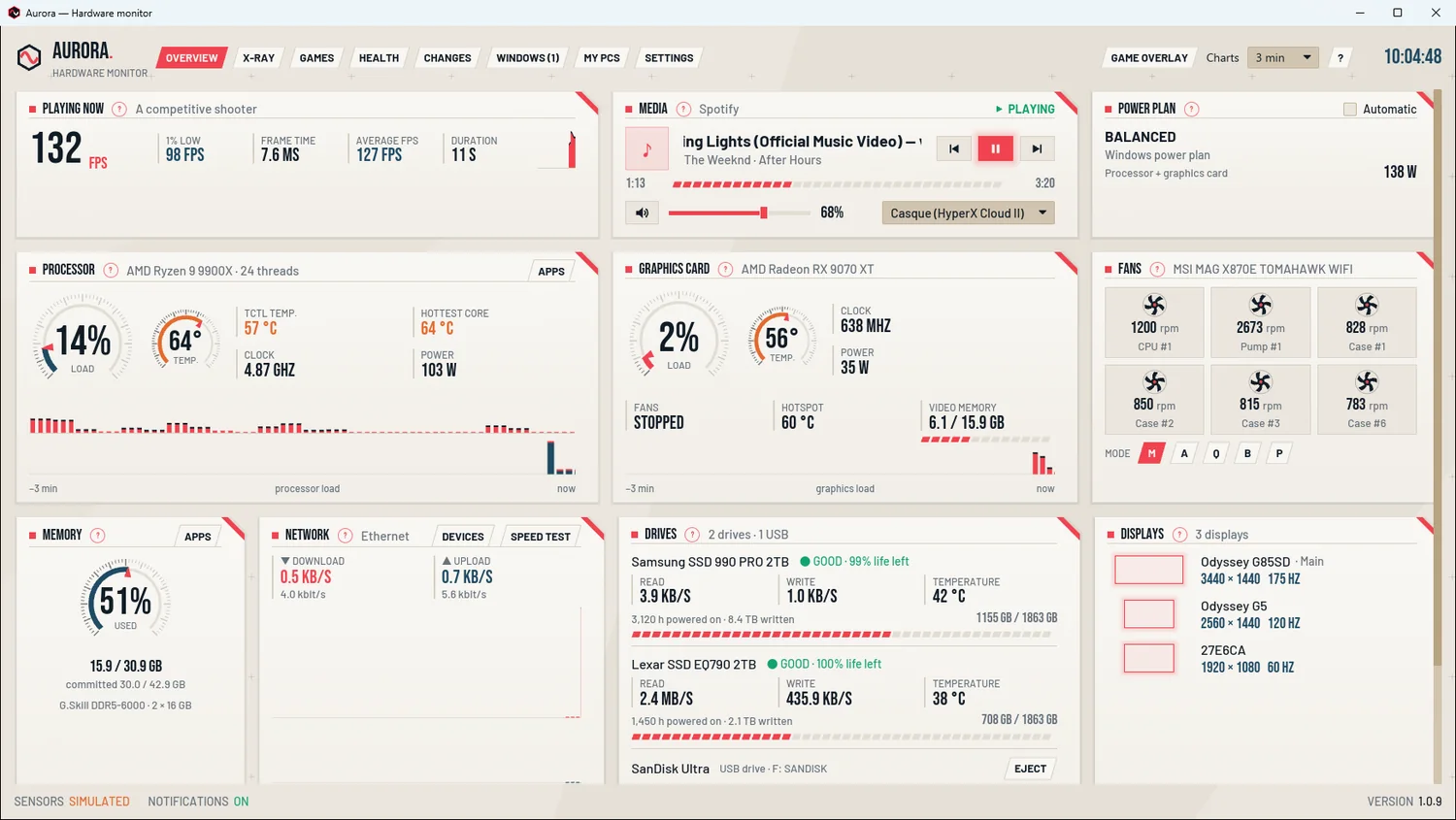
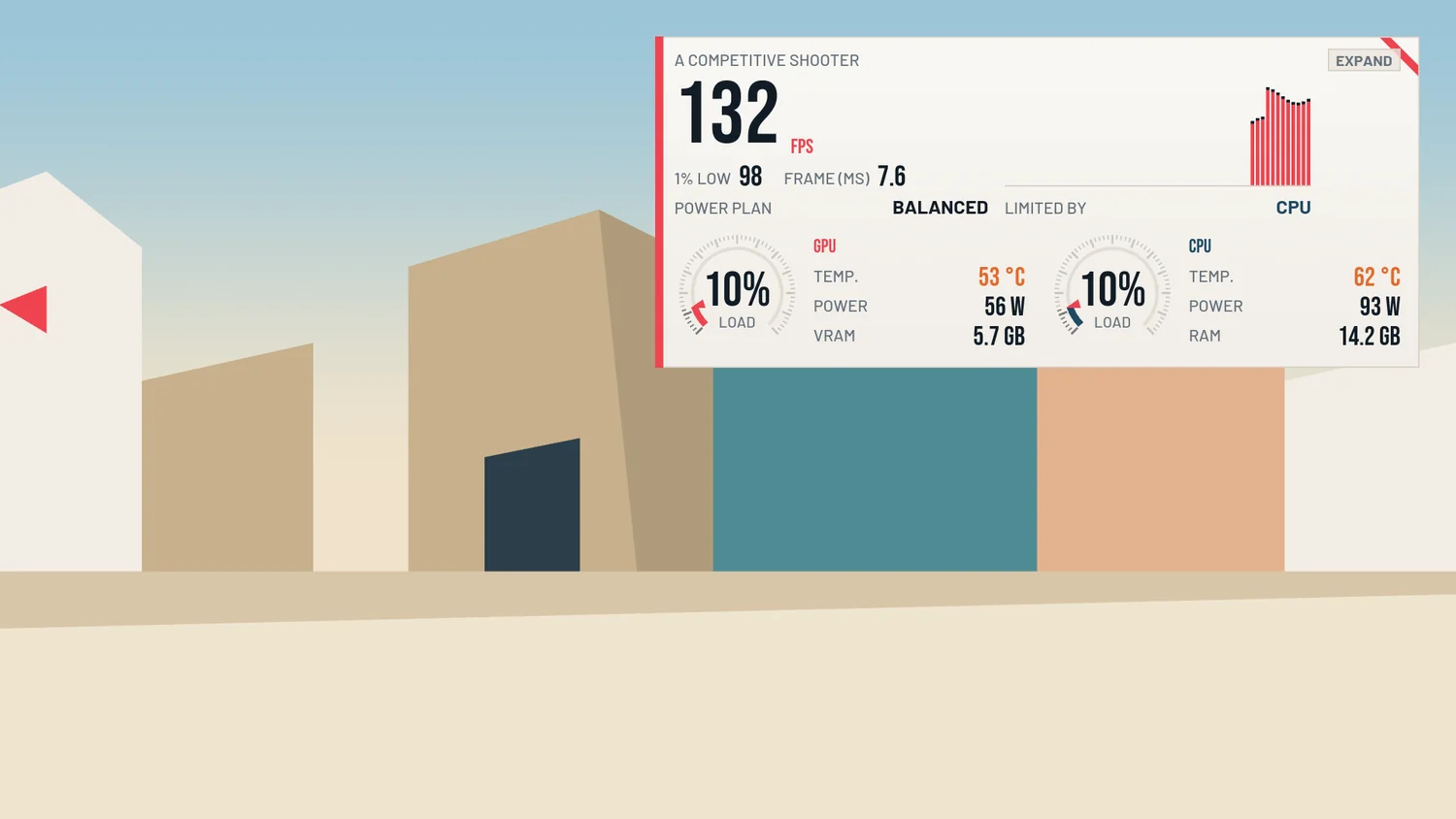
PRECISION.

The feel of competitive shooters

CA$3

Aurora's dashboard wearing the Precision skin: cream paper sheets with a cut corner, stopwatch dials

The only light skin: clean lines on a cream background, paper sheets with a cut corner edged in red, navy ink, stopwatch dials with fine ticks and a red needle, big condensed digits, slanted buttons.

And in game, the overlay follows: panel, HUD or bar, crisp and readable. Behind its preview in the Games tab: a bright arena with pastel buildings.

  • All of Aurora dressed up: dashboard, tabs, Settings, game overlay
  • Bebas Neue and Barlow, free fonts, accents included
  • In French and English, like Aurora
  • Aurora 1.0.9 or newer, Windows 10 and 11
  • One 268 KB file, signed by Aurora: no program
Buy Precision · CA$3

Secure payment through Polar, your country's taxes calculated at checkout. The file downloads right away. Terms of sale and refunds.
The HUD game overlay wearing Precision, on the bright arena of its preview
The game overlay, as a HUD: FPS, what limits them, graphics card and processor.
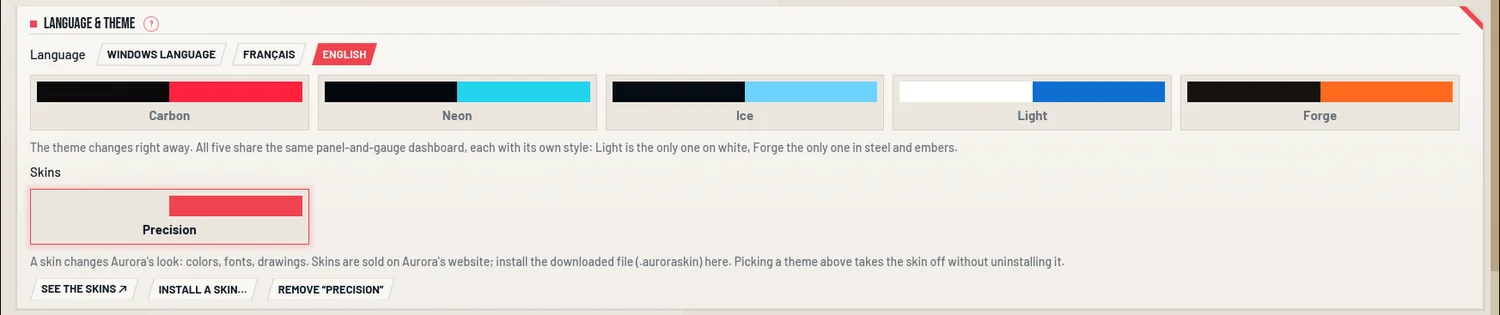
Settings, Language & theme panel: the Skins row, Precision worn
In Settings, under the themes: one click to wear Precision, another to go back to your theme.

SPELLBOUND

The feel of hero arenas

CA$3

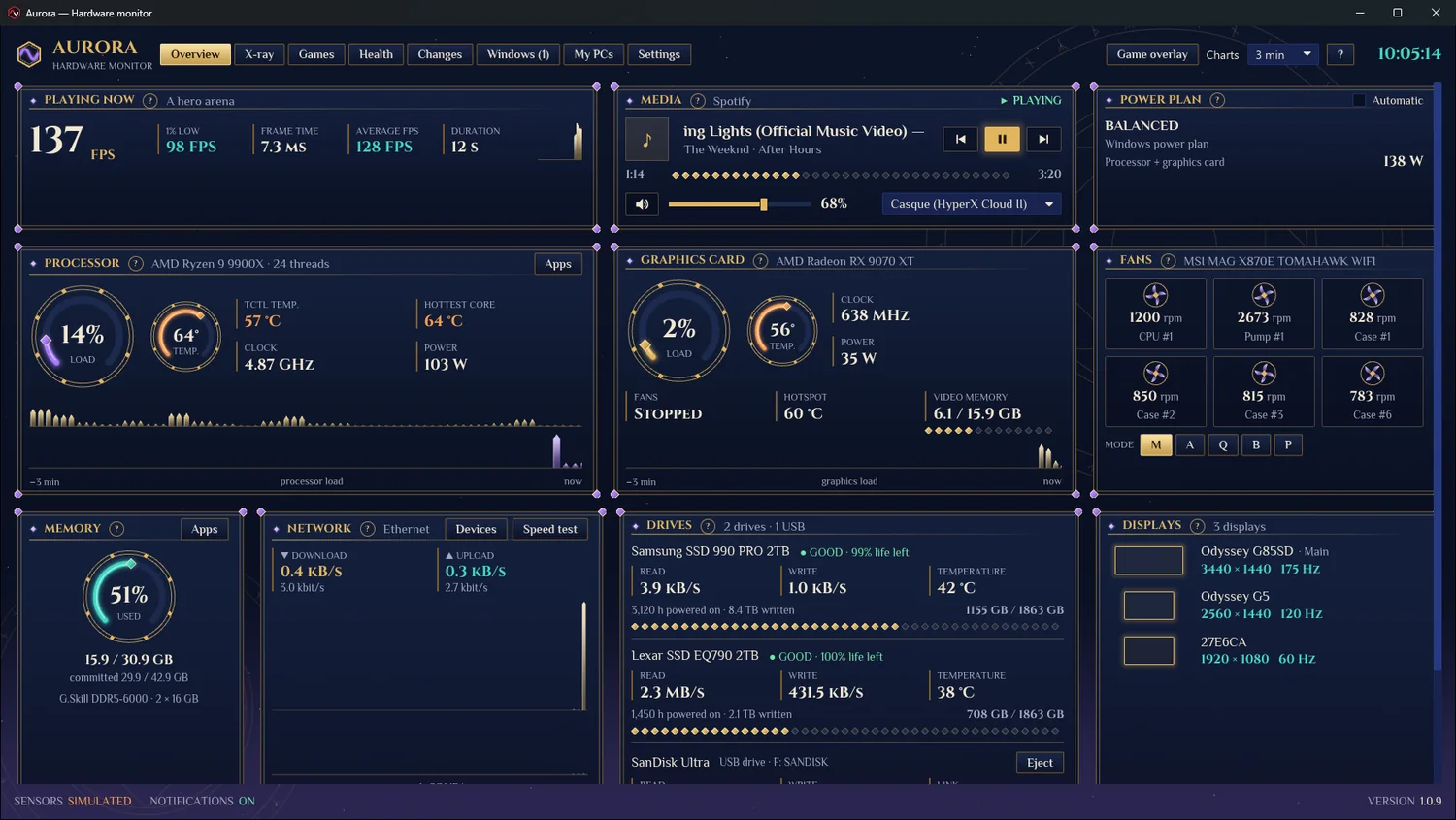
Aurora's dashboard wearing the Spellbound skin: a deep blue night, gold frames with magic gems

A deep blue night strewn with stars and great rune circles, double gold frames with a magic gem at each corner, gold titles, gold-ringed gauges with a glowing arc of magic, crystal shards for the charts, rows of gems for the bars.

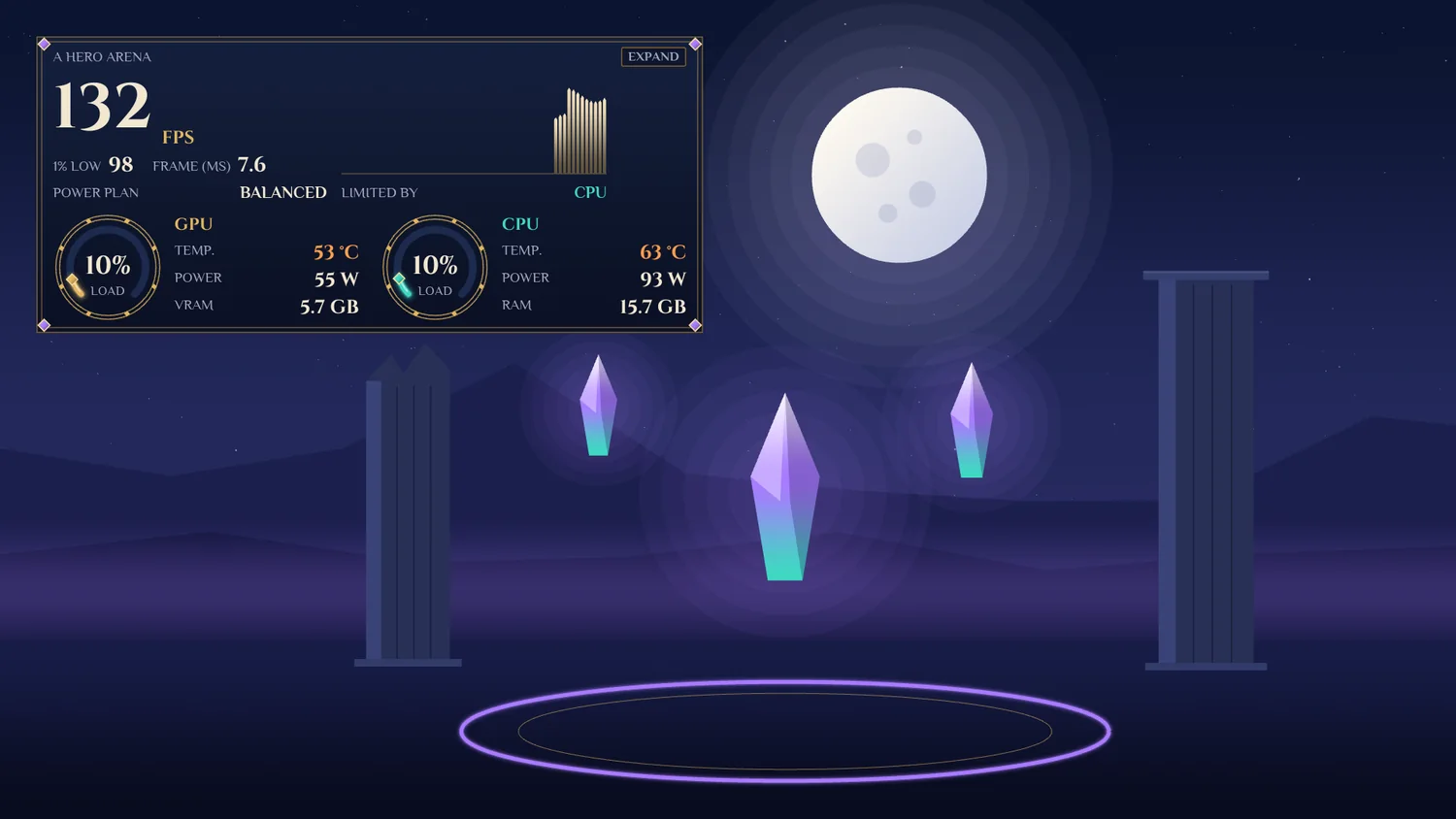
And in game, the overlay follows: panel, HUD or bar, framed in gold. Behind its preview in the Games tab: a magic night, the moon, ruined pillars and floating crystals.

  • All of Aurora dressed up: dashboard, tabs, Settings, game overlay
  • Cinzel and Philosopher, free fonts, accents included
  • In French and English, like Aurora
  • Aurora 1.0.9 or newer, Windows 10 and 11
  • One 285 KB file, signed by Aurora: no program
Buy Spellbound · CA$3

Secure payment through Polar, your country's taxes calculated at checkout. The file downloads right away. Terms of sale and refunds.
The HUD game overlay wearing Spellbound, on the magic night of its preview
The game overlay, as a HUD: FPS, what limits them, graphics card and processor.
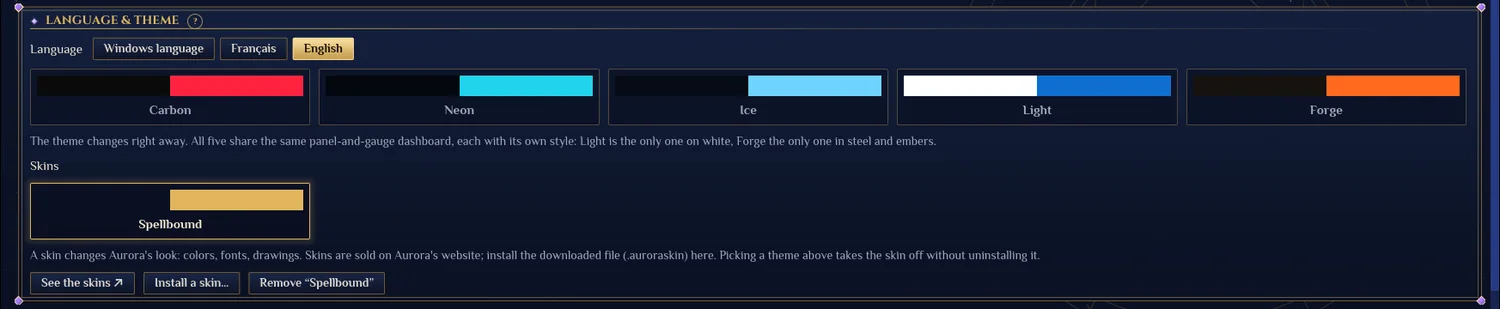
Settings, Language & theme panel: the Skins row, Spellbound worn
In Settings, under the themes: one click to wear Spellbound, another to go back to your theme.

STORM

The feel of cartoon battle royales

CA$3

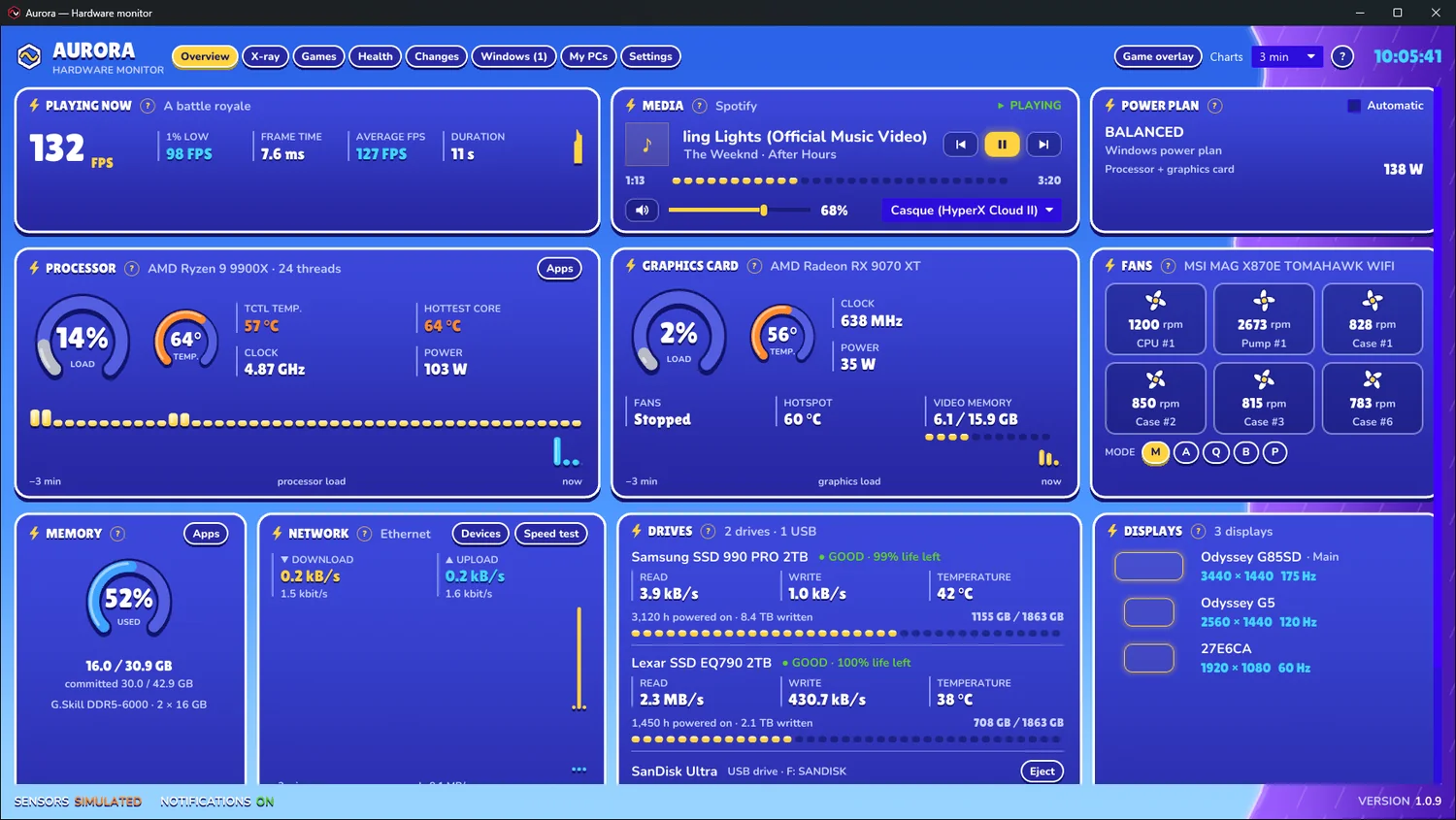
Aurora's dashboard wearing the Storm skin: a big blue sky, rounded white-rimmed cards

A big blue sky and the purple storm wall coming in from the right, rounded white-rimmed cards with solid shadows, like stickers, lightning-bolt titles, gauges whose color follows the rarity of their value (grey, green, blue, purple, gold), capsules for the charts.

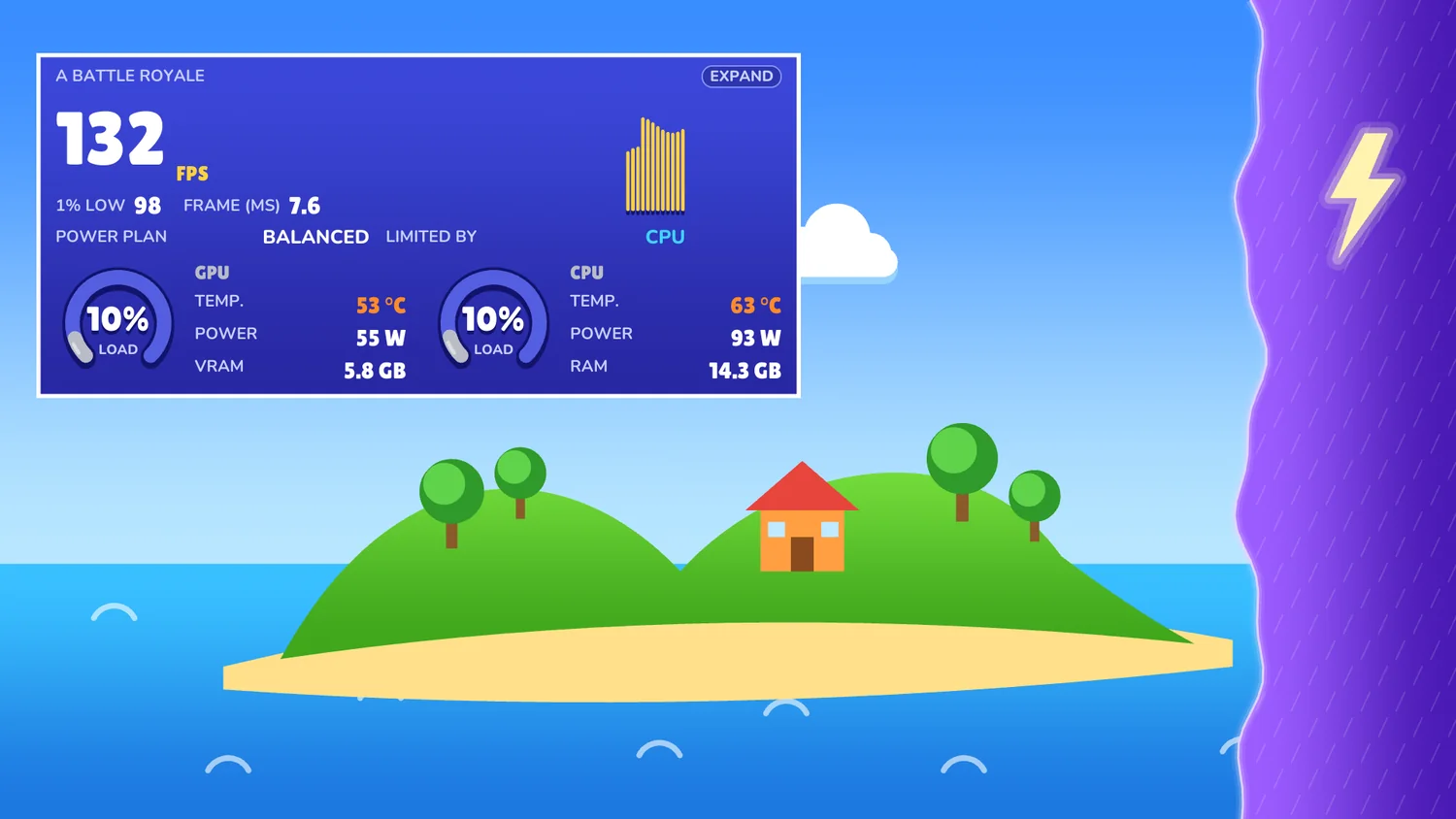
And in game, the overlay follows: panel, HUD or bar, cartoon style. Behind its preview in the Games tab: an island with its house, its trees and the storm at the edge.

  • All of Aurora dressed up: dashboard, tabs, Settings, game overlay
  • Lilita One and Nunito, free fonts, accents included
  • In French and English, like Aurora
  • Aurora 1.0.9 or newer, Windows 10 and 11
  • One 274 KB file, signed by Aurora: no program
Buy Storm · CA$3

Secure payment through Polar, your country's taxes calculated at checkout. The file downloads right away. Terms of sale and refunds.
The HUD game overlay wearing Storm, on the cartoon island of its preview
The game overlay, as a HUD: FPS, what limits them, graphics card and processor.
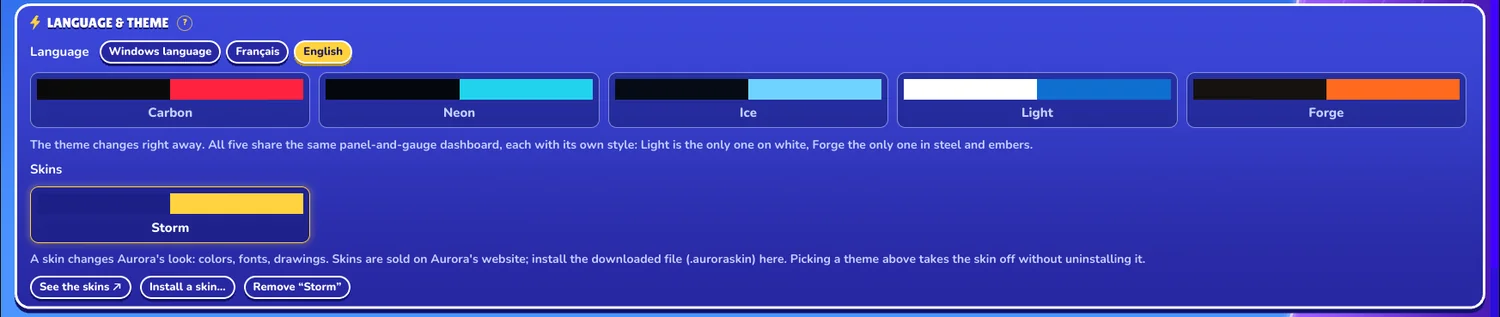
Settings, Language & theme panel: the Skins row, Storm worn
In Settings, under the themes: one click to wear Storm, another to go back to your theme.

KABOOM

The feel of superhero comics

CA$3

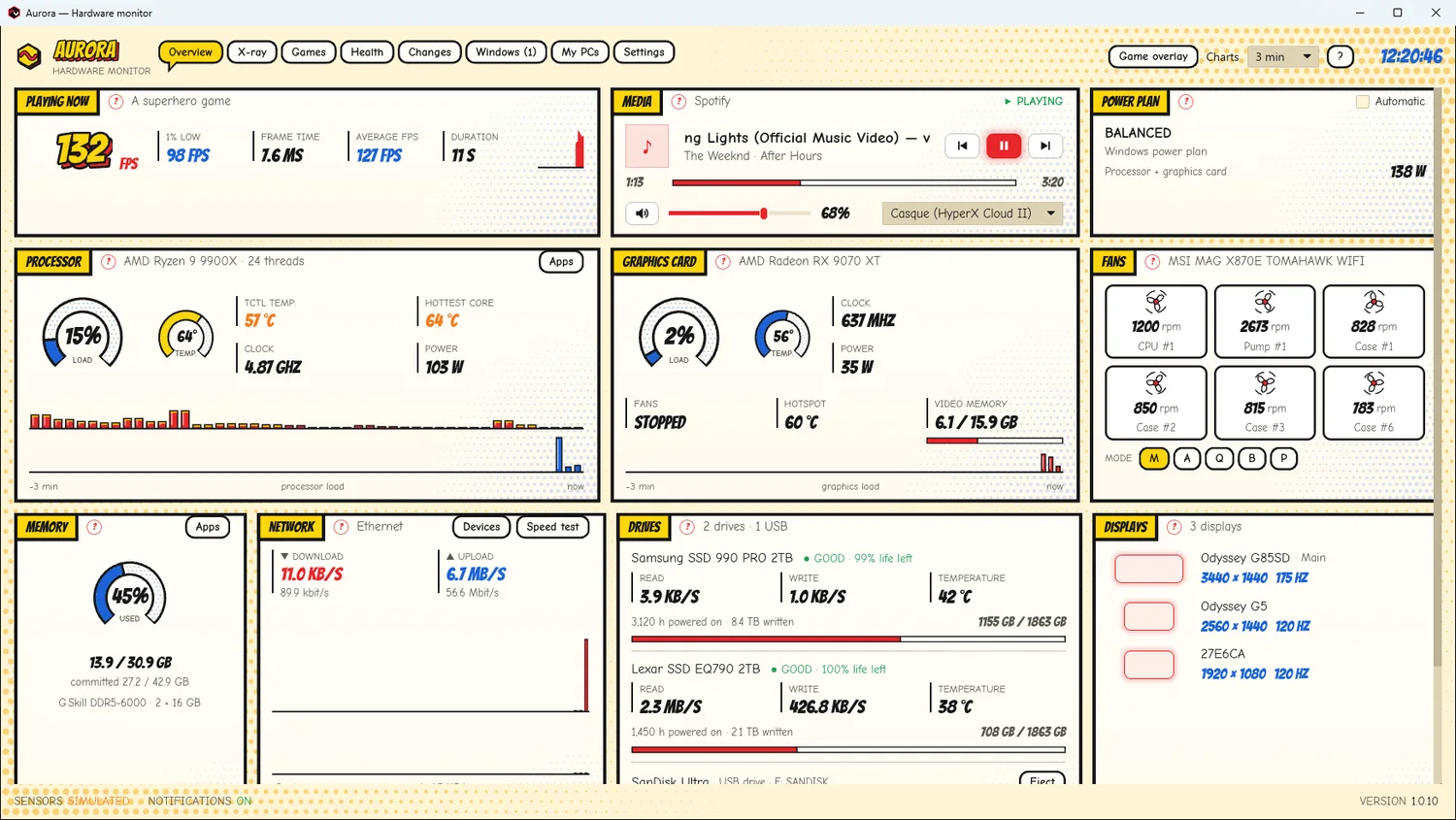
Aurora's dashboard wearing the Kaboom skin: a comic book page on cream paper, ink-bordered panels, inked gauges in primary colors

A comic book page on a light background: paper with halftone dots, panels with thick ink borders, titles in yellow caption boxes, Aurora's name lettered in relief, inked gauges in primary colors, hatched bars and bursts for alerts.

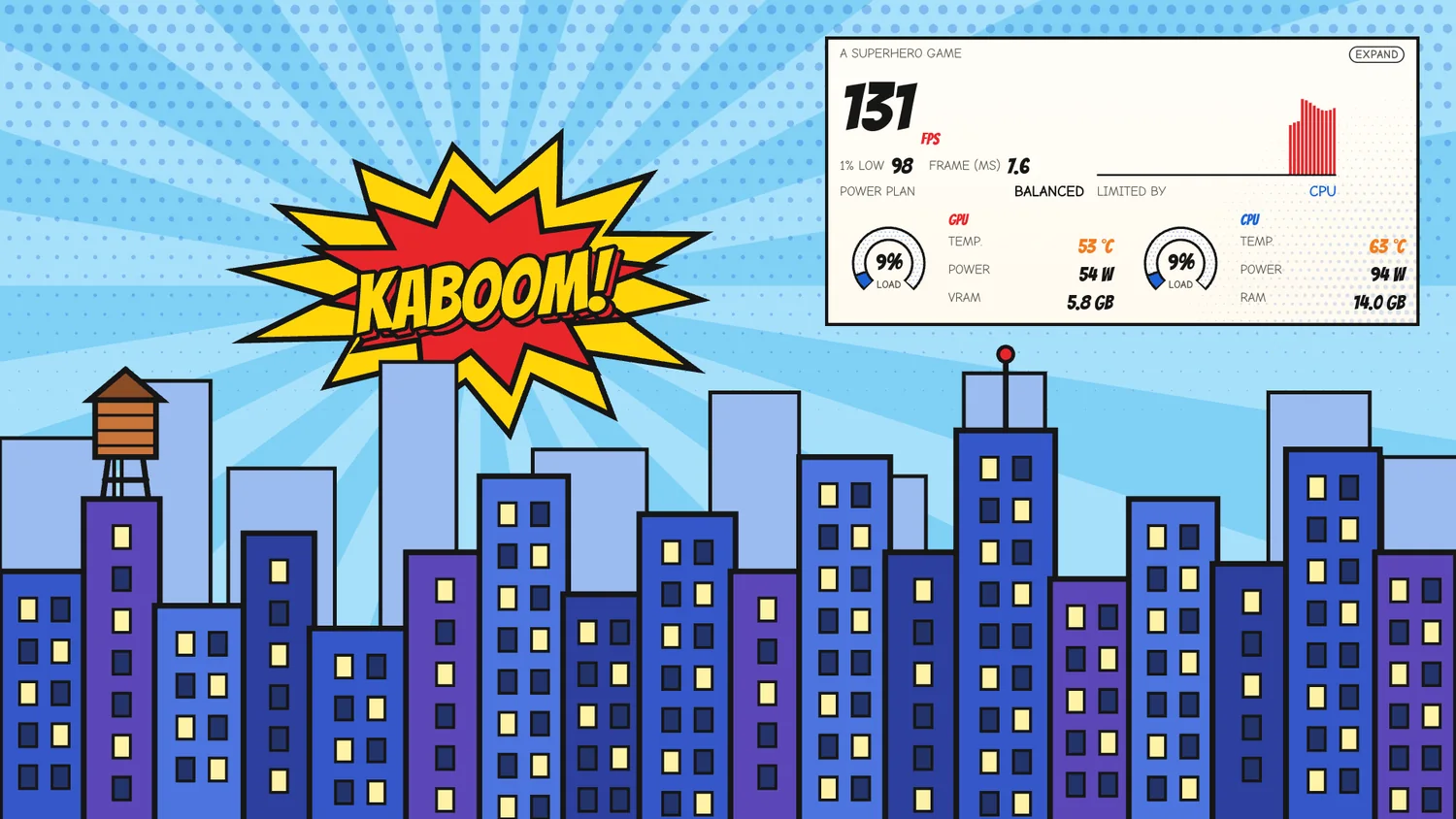
And in game, the overlay follows: panel, HUD or bar. Behind its preview in the Games tab: a comic book city under a big “KABOOM!”.

  • All of Aurora dressed up: dashboard, tabs, Settings, game overlay
  • Bangers and Comic Neue, free fonts, accents included
  • In French and English, like Aurora
  • Aurora 1.0.10 or newer, Windows 10 and 11
  • One 203 KB file, signed by Aurora: no program
Buy Kaboom · CA$3

Secure payment through Polar, your country's taxes calculated at checkout. The file downloads right away. Terms of sale and refunds.
The HUD game overlay wearing Kaboom, in the sky of the comic book city of its preview
The game overlay, as a HUD: FPS, what limits them, graphics card and processor.
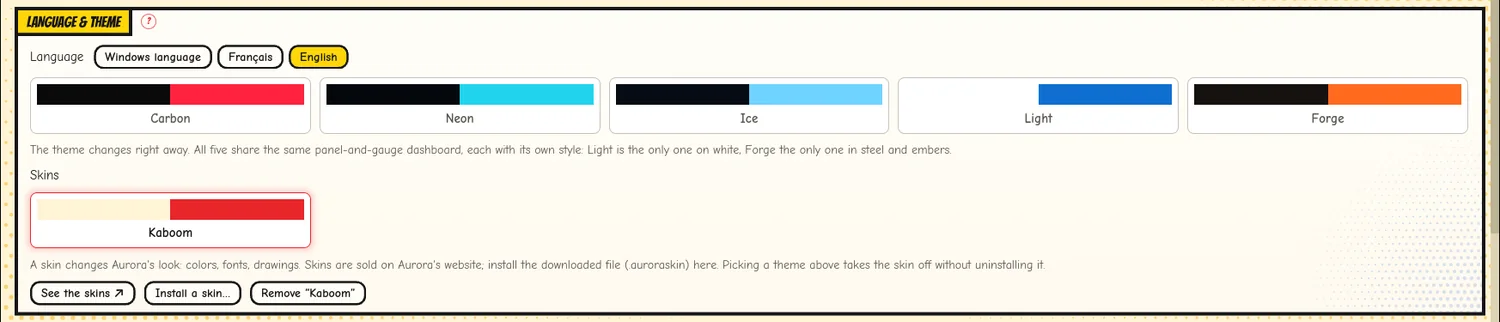
Settings, Language & theme panel: the Skins row, Kaboom worn
In Settings, under the themes: one click to wear Kaboom, another to go back to your theme.

BOILER ROOM

The feel of an old engine room

CA$3

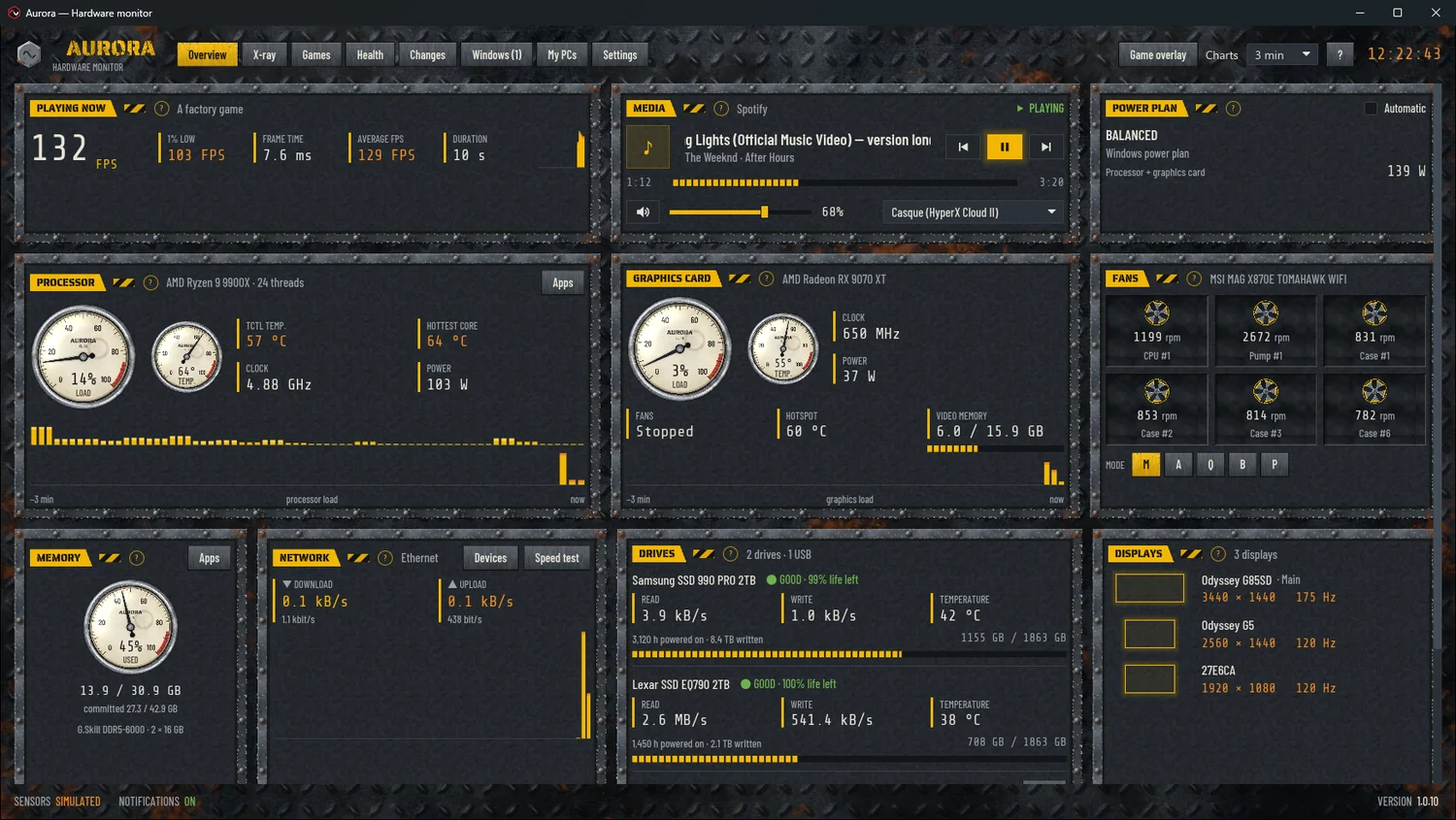
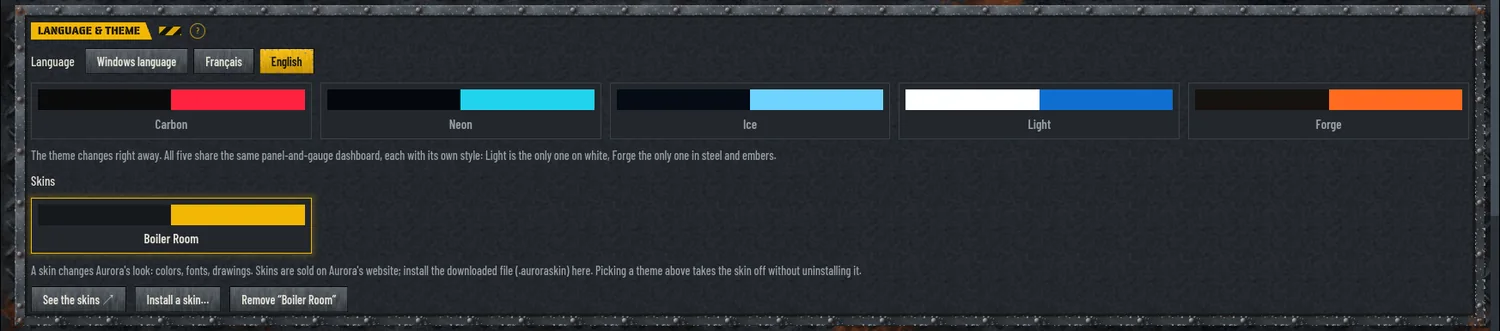
Aurora's dashboard wearing the Boiler Room skin: riveted steel plates on rusty diamond plate, chrome pressure gauges for gauges

An engine room worn by the years: rusty diamond plate, riveted steel panels, chrome pressure gauges with yellowed dials for gauges, chipped safety paint.

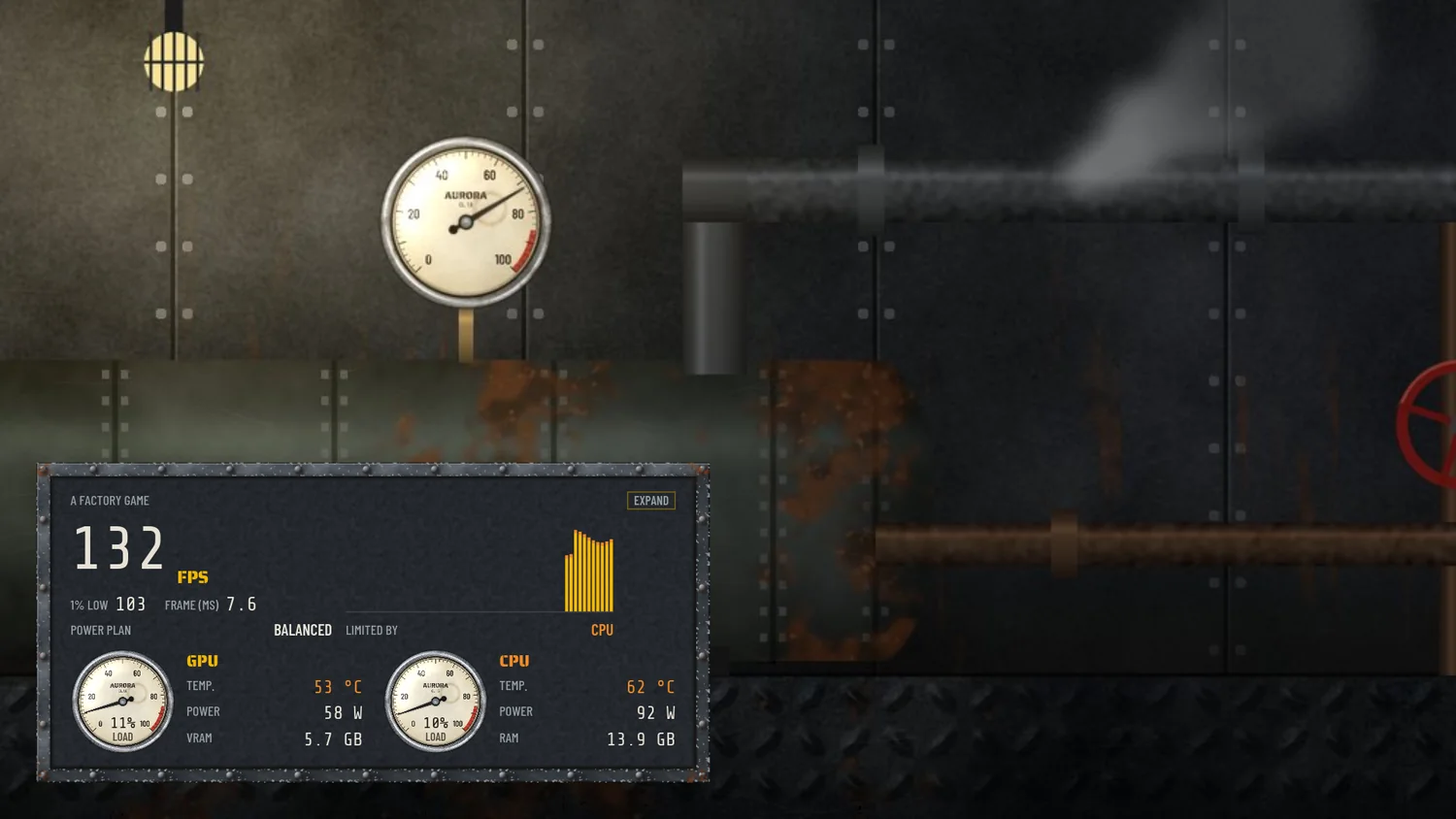
And in game, the overlay follows: panel, HUD or bar. Behind its preview in the Games tab: the boiler room itself, with its pressure gauge, pipes, steam and red valve.

  • All of Aurora dressed up: dashboard, tabs, Settings, game overlay
  • Three free fonts: Saira Stencil One, Barlow Condensed and Share Tech Mono, accents included
  • In French and English, like Aurora
  • Aurora 1.0.10 or newer, Windows 10 and 11
  • One 1.5 MB file, signed by Aurora: no program
Buy Boiler Room · CA$3

Secure payment through Polar, your country's taxes calculated at checkout. The file downloads right away. Terms of sale and refunds.
The HUD game overlay wearing Boiler Room, in front of the tank of the engine room of its preview
The game overlay, as a HUD: FPS, what limits them, graphics card and processor.
Settings, Language & theme panel: the Skins row, Boiler Room worn
In Settings, under the themes: one click to wear Boiler Room, another to go back to your theme.

TERMINAL

The feel of old green phosphor screens

CA$3

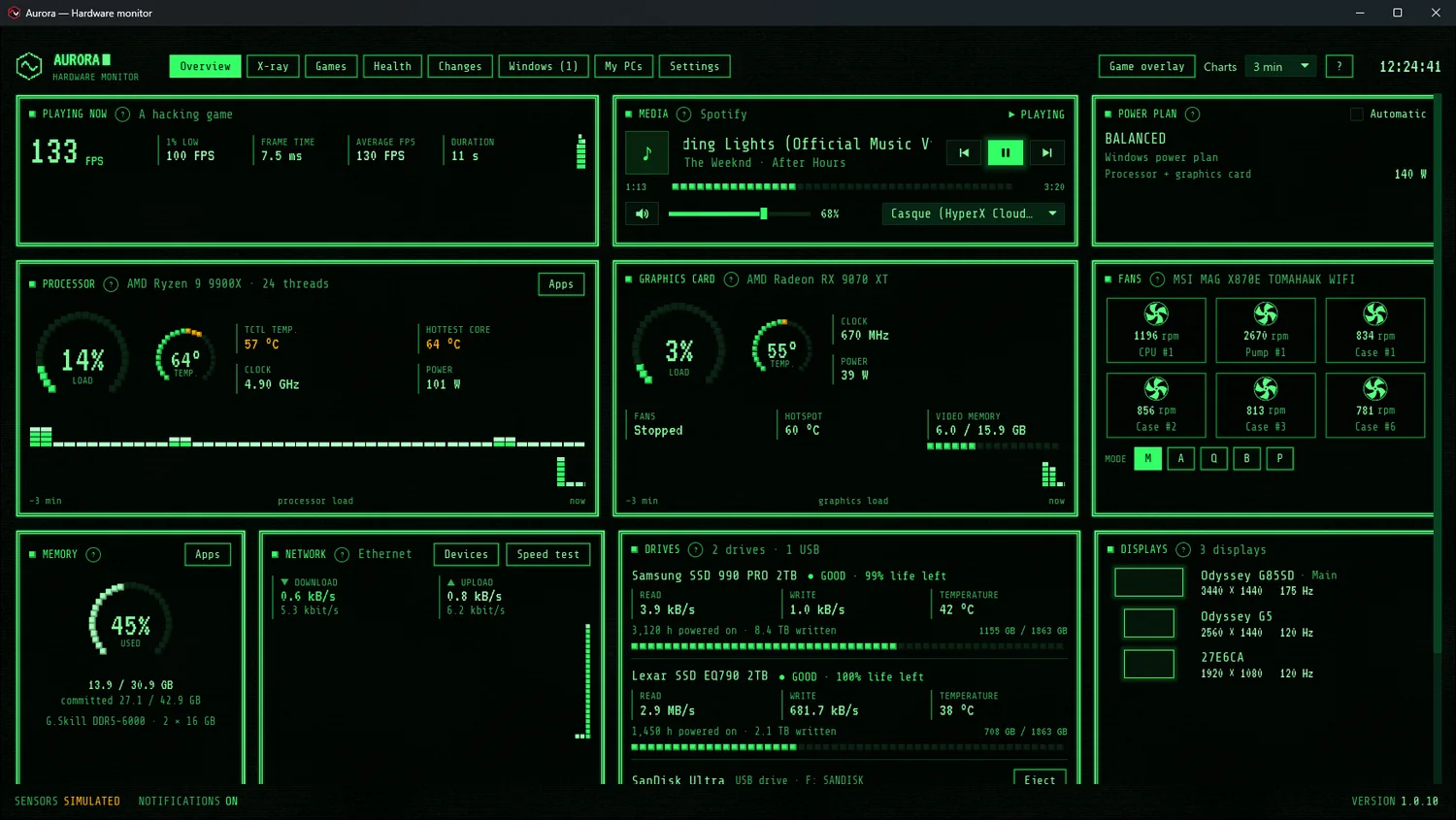
Aurora's dashboard wearing the Terminal skin: a green phosphor screen, double-line frames, block gauges and charts

An old green phosphor CRT: scanlines, glowing double-line frames, block gauges and charts, inverse-video buttons.

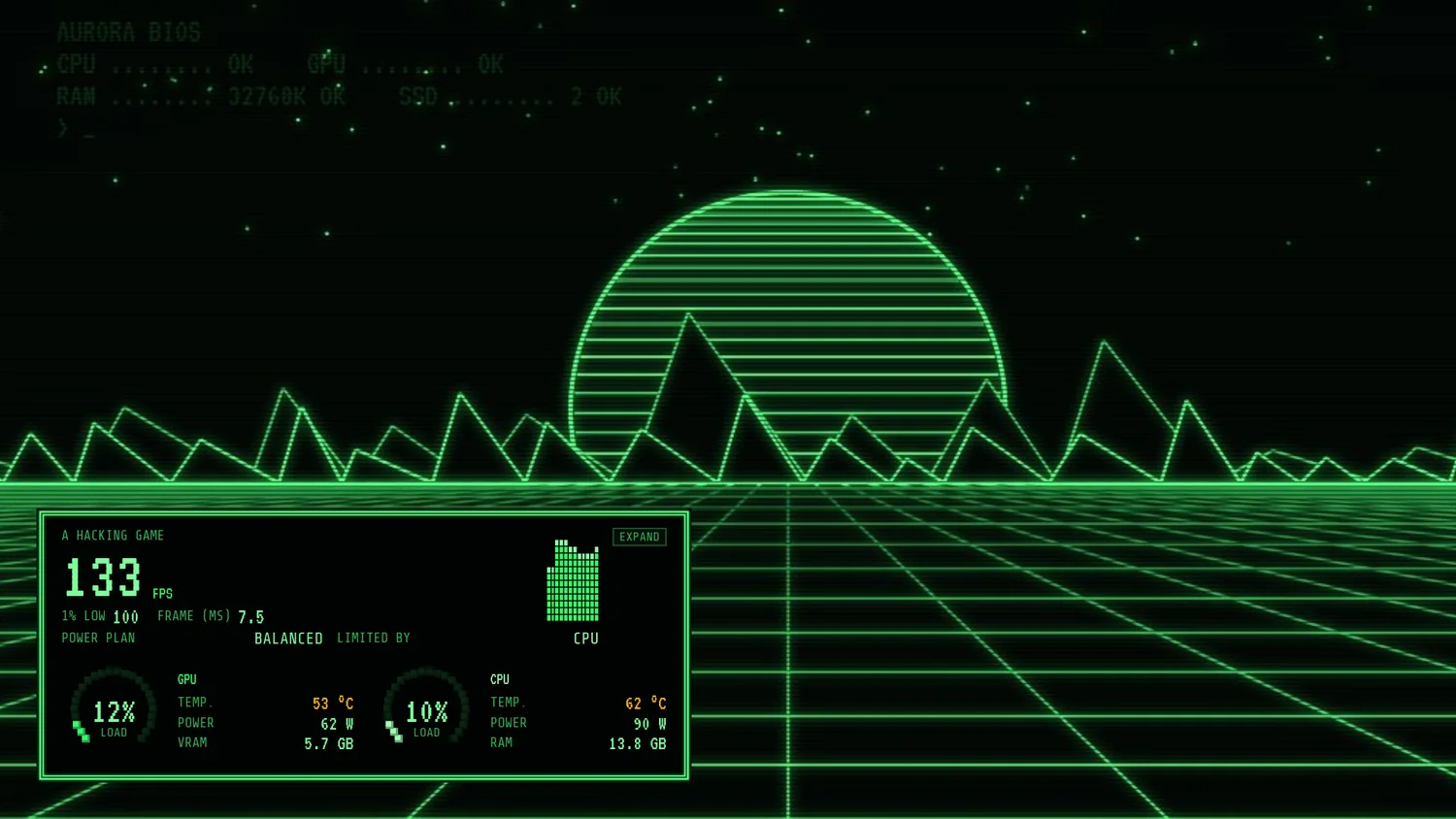
And in game, the overlay follows: panel, HUD or bar. Behind its preview in the Games tab: a wireframe landscape under a striped sun.

  • All of Aurora dressed up: dashboard, tabs, Settings, game overlay
  • VT323 and Share Tech Mono, free fonts, accents included
  • In French and English, like Aurora
  • Aurora 1.0.10 or newer, Windows 10 and 11
  • One 613 KB file, signed by Aurora: no program
Buy Terminal · CA$3

Secure payment through Polar, your country's taxes calculated at checkout. The file downloads right away. Terms of sale and refunds.
The HUD game overlay wearing Terminal, on the grid floor of the wireframe landscape of its preview
The game overlay, as a HUD: FPS, what limits them, graphics card and processor.
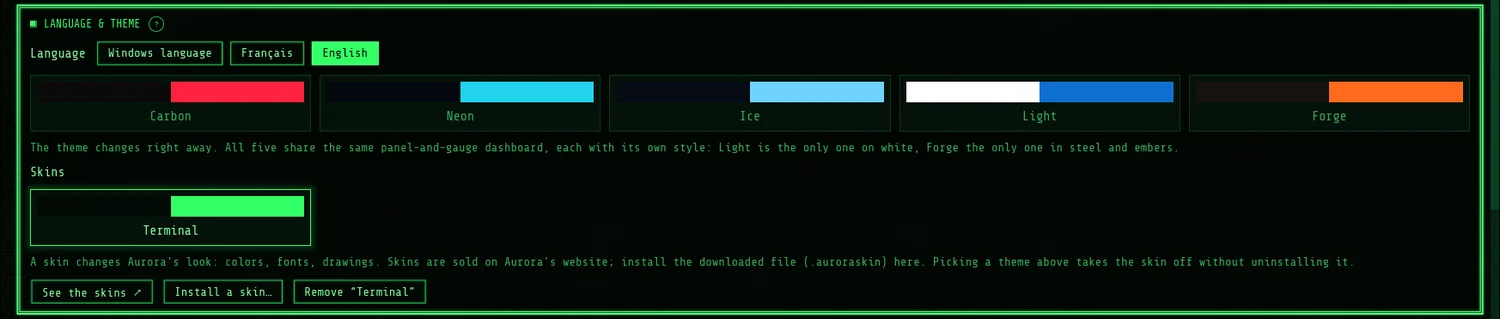
Settings, Language & theme panel: the Skins row, Terminal worn
In Settings, under the themes: one click to wear Terminal, another to go back to your theme.

Installing it

Two minutes, with no Internet on Aurora's side.

  1. Buy the skin, then download its file (for example pixel.auroraskin) with the link you get by email.
  2. In Aurora, go to Settings, Language & theme panel, and click Install a skin… The window opens in your Downloads: pick the file.
  3. That's it: Aurora changes its look right away. To go back to a free theme, click it; your skin stays installed and comes back in one click.

Questions

The short answers.

Do the free themes stay?

Yes. Carbon, Neon, Ice, Light and Forge stay in Aurora, free. Skins come on top of them.

On how many PCs?

All of yours. A skin can't be resold or shared (licence).

Will Aurora connect anywhere?

No. Installing or wearing a skin needs no connection: Aurora only checks that the file is signed by it. A skin is never a program.

What if it doesn't work, or I don't like it?

Write to me within 30 days at contact@auroraapp.ca: I'll refund you in full (refunds).

Why paid skins?

Aurora has no ads and no account, and sells no data. Skins are its only source of income.

Are more skins coming?

Yes. Each one with its own mood, names and drawings of our own. Since Aurora 1.0.10, new ones install without updating Aurora.