 AURORA
Aurora, the hardware monitor that speaks plain words
Everything you need to talk about Aurora: copy-ready text, high-resolution screenshots, the logo and videos. Everything here is free to use to present Aurora.
At a glance
The key facts.
- Name
- Aurora — Hardware Monitor
- Version
- 1.0.12, October 5, 2026
- Price
- Free, no ads, no account · optional skins, CA$3 each · its licence
- System
- Windows 10 and 11, 64-bit · 10.4 MB
- Trust
- Digitally signed installer
- Technology
- Written in Rust, a modern language built for safety
- Languages
- French and English
- Privacy
- No readings sent; the Internet only for the version number, and when you ask
- Creator
- Denis, in Quebec
- Website and contact
- auroraapp.ca · contact@auroraapp.ca
Copy-ready text
Use them as they are, or adapt them.
In one sentence
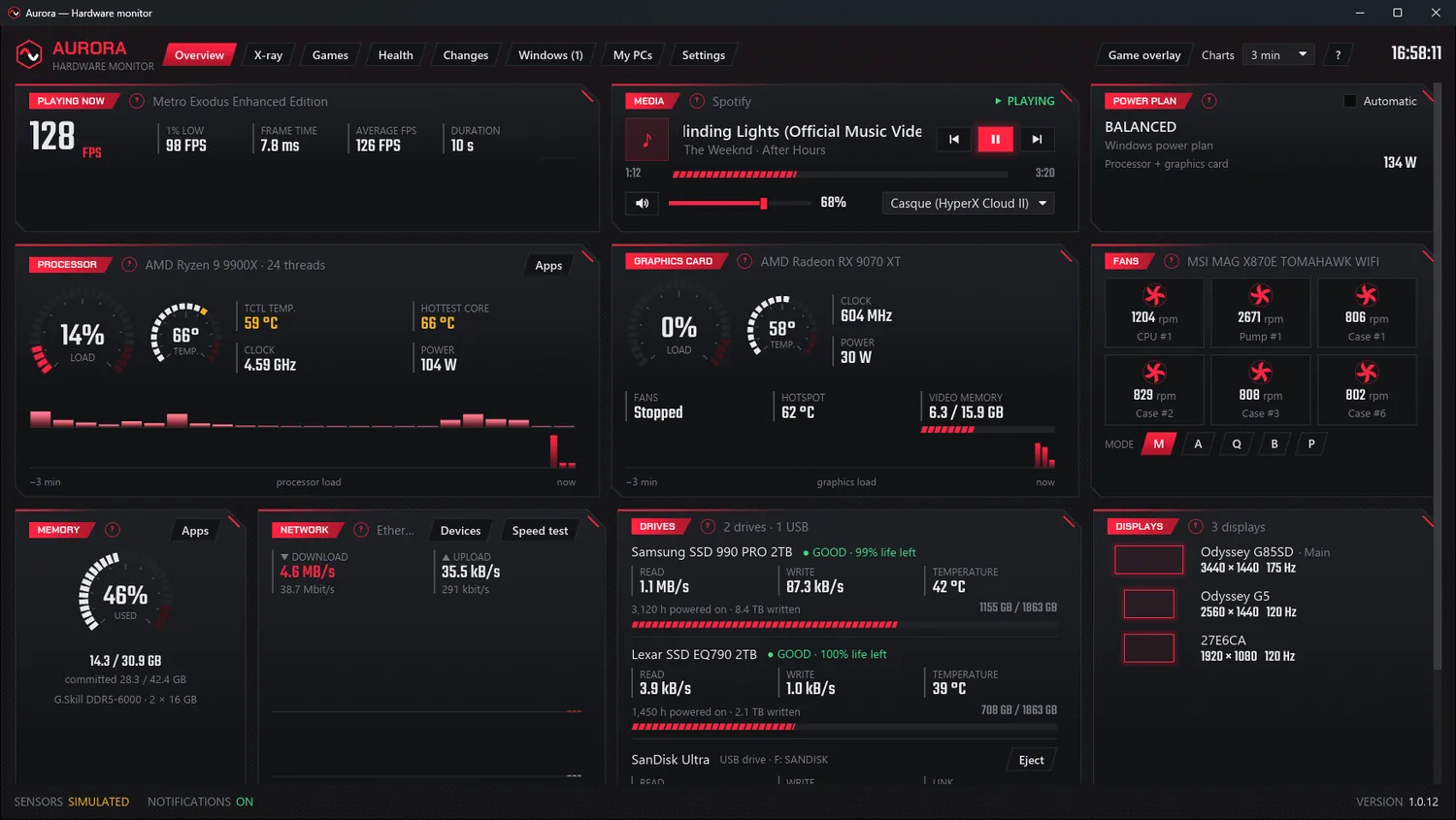
Aurora is a free hardware monitor for Windows that watches your PC live — temperatures, fans, drives, network, in-game FPS — and tells you in plain words whether it's doing well.
In one paragraph
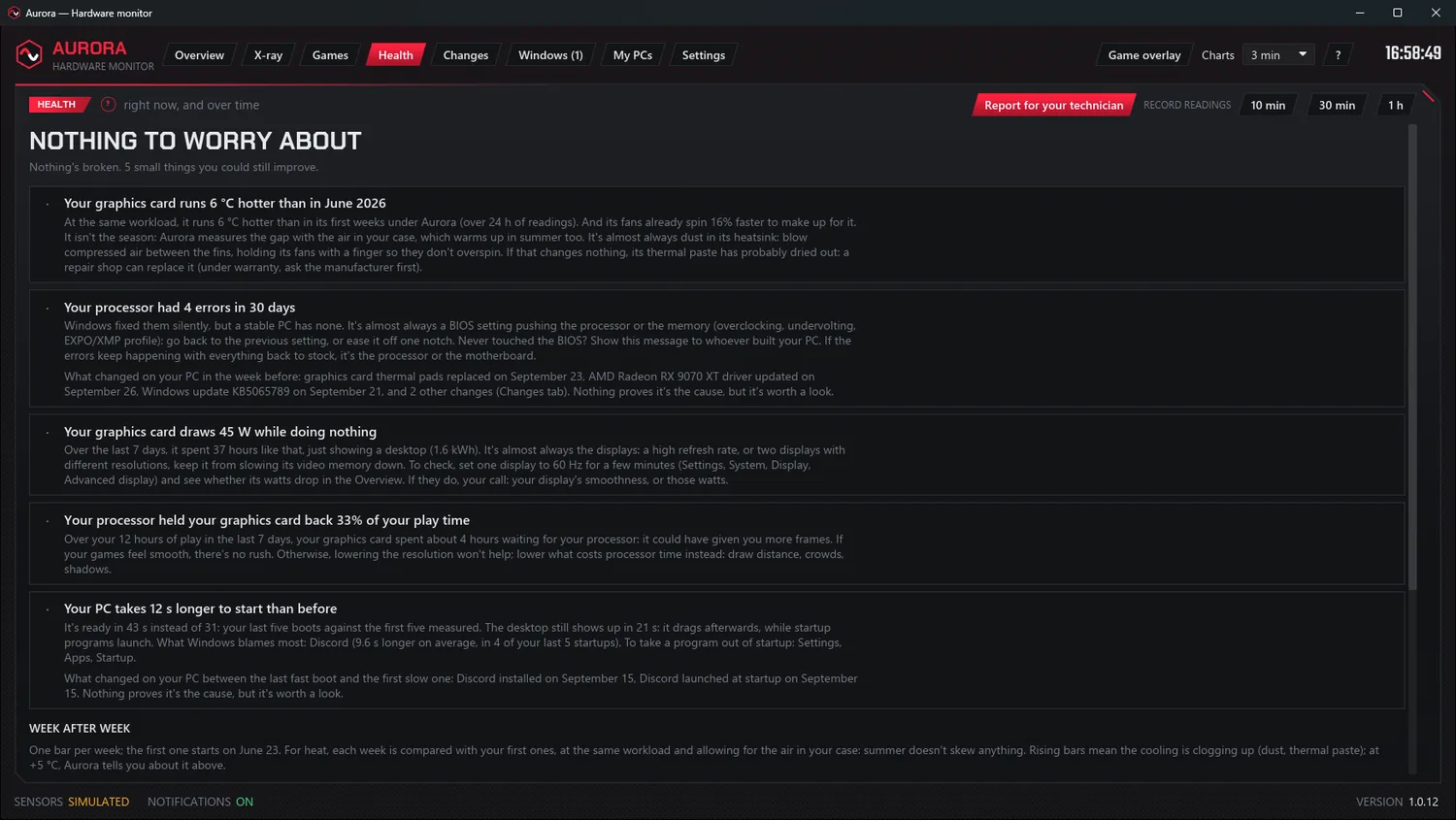
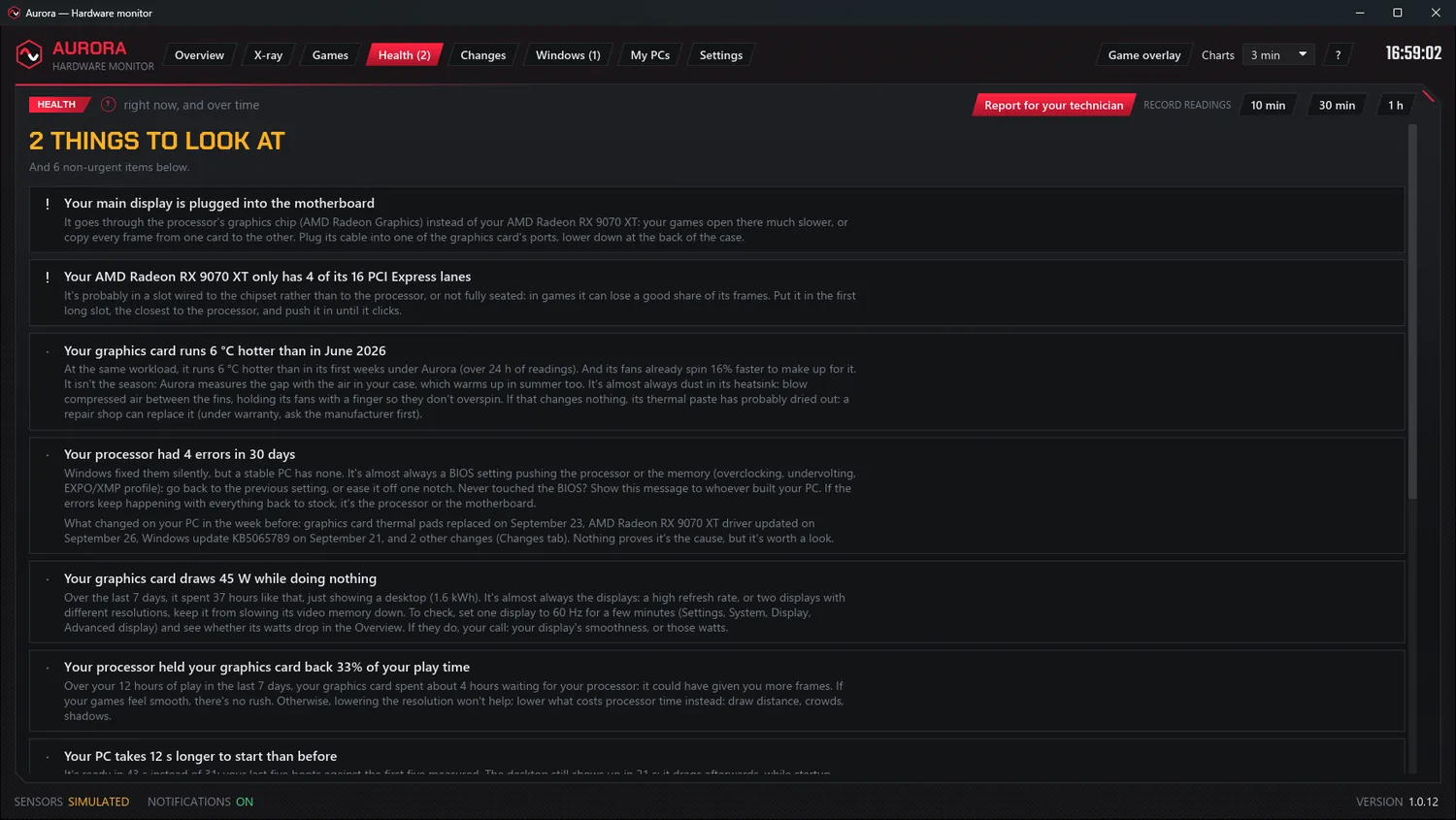
Aurora is a free hardware monitor for Windows 10 and 11. It shows temperatures, fans, drives, network and in-game FPS live in a clear dashboard, and above all, it makes sense of them: its Health tab says in plain words what's wrong and what to do — a worn drive, a stopped fan, an error Windows logged silently, or a display plugged into the wrong port. It also keeps track of what changed on the PC, to link a problem to its likely cause, and measures the effect of every change — a driver, a BIOS, an update — on games, temperatures and startup. In game, it tells you what limits the FPS: the graphics card, the processor or an FPS cap. It also explains Windows updates in plain words, and prepares a full report for whoever helps remotely. It helps free up space safely: it finds duplicate files, everything goes through the Recycle Bin, and it shows what's really filling the drive. No account, no ads, it sends none of your readings, it speaks French and English, and it's written in Rust, a language built for safety.
What sets it apart
Aurora doesn't just measure: it explains.
Duplicate files, safely
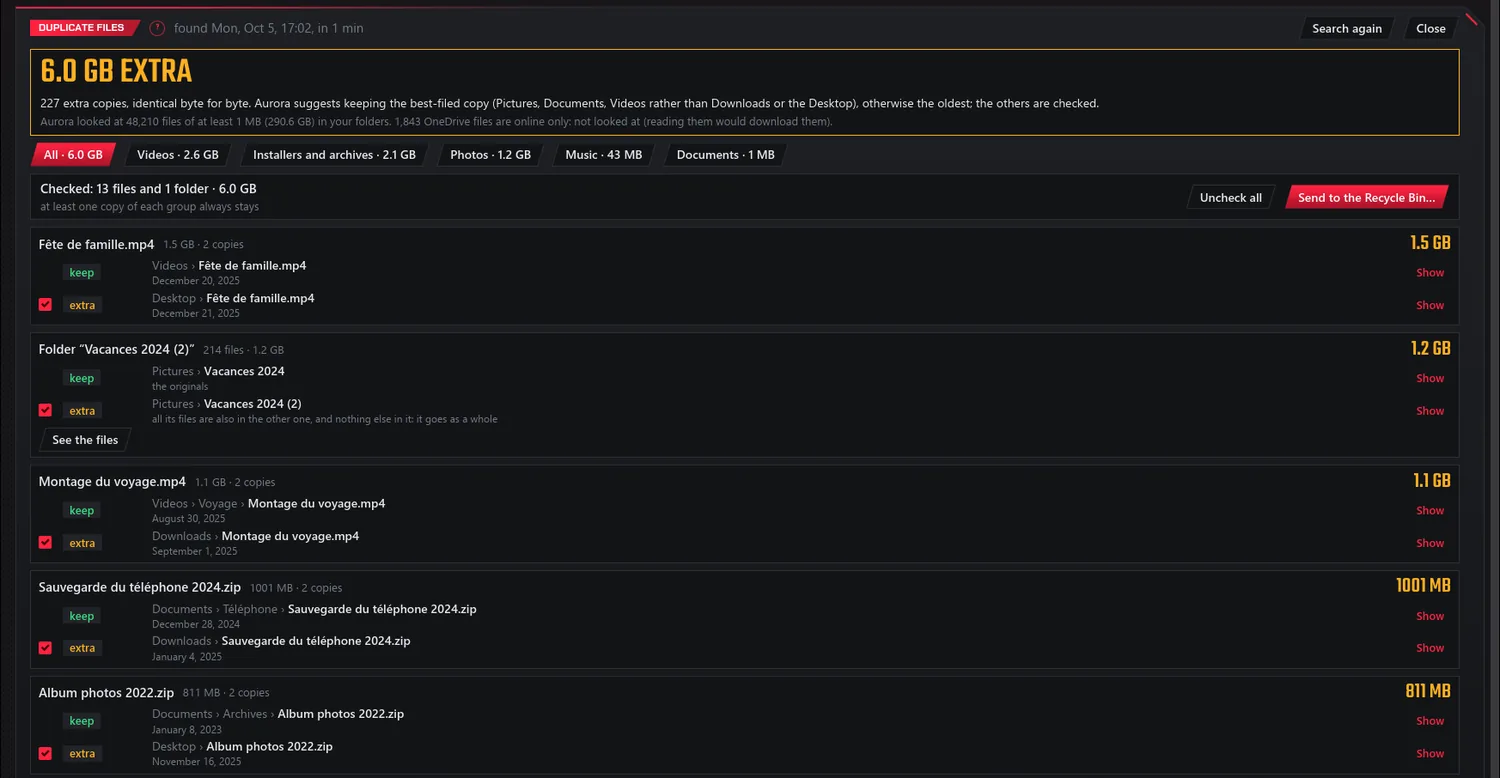
Exact copies of the same file in the person's folders, compared byte for byte. Aurora suggests the copy to keep, the person checks, and everything goes to the Recycle Bin, each copy checked again just before. File names never leave the PC.
What really takes up the space
Few duplicates? Aurora says so, and shows what fills each drive: games (from their launchers), folders, the Recycle Bin, Windows and the rest, then the games not launched in three months. It uninstalls nothing.
Windows updates, in plain words
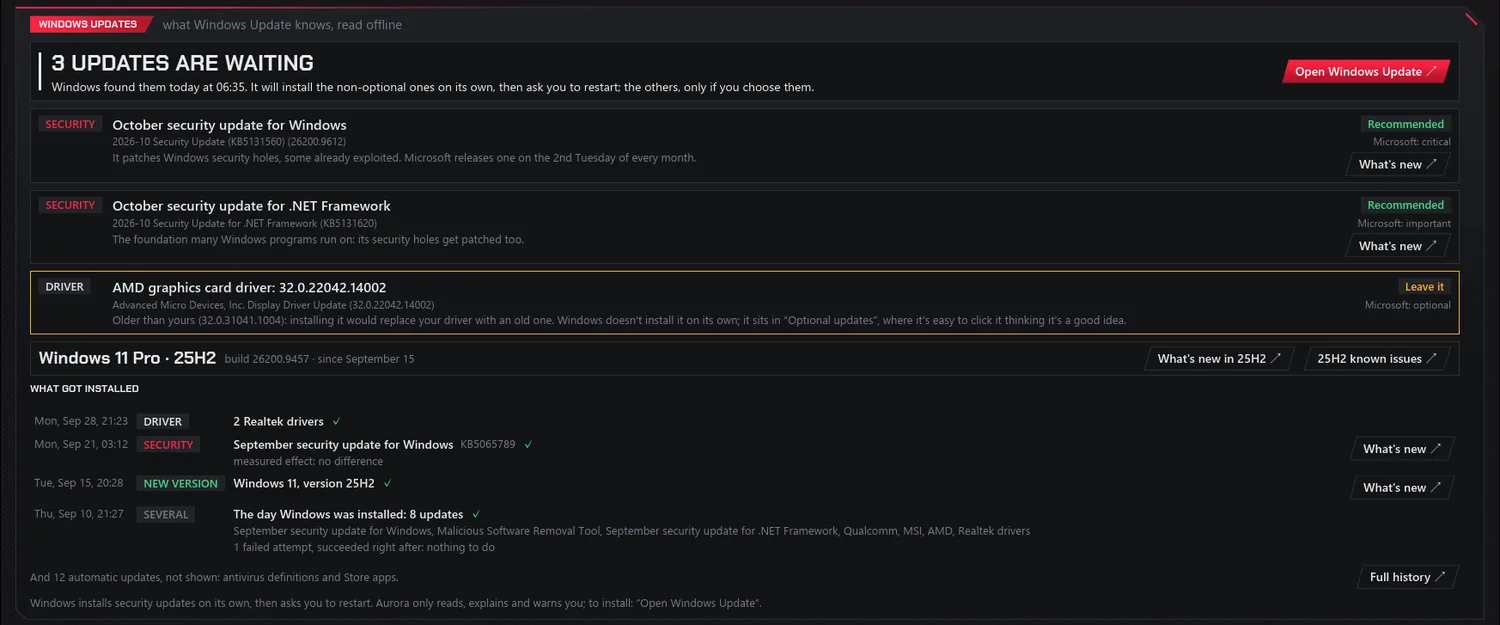
What's waiting, in plain words, with advice (recommended, optional, at your own pace, leave it) and Microsoft's page in the Windows language. The Health tab only warns when it matters. Aurora installs nothing.
The report for the technician
For whoever helps remotely: the PC's full profile, what happened before the problem and what Windows logged, as a web page or as text. Nothing private, and nothing goes out by itself.
Skins
Nine moods (block-building, tactical shooter, open city, competitive shooter, hero arena, battle royale, superhero comics, engine room, old green screen), CA$3 each: the colors, fonts and drawings of all of Aurora, overlay included. The five themes stay free.
A fluid dashboard
Everything moves at the display's refresh rate, and rests during games: measured, no frame lost in game. Since 1.0.10, about a third of the work for the graphics card.
A health check in plain words
What's wrong, why, and what to do: drives, temperatures, fans, BIOS battery, power supply, and what Windows logs without a word.
The build check
A display plugged into the motherboard or set too low, a graphics card in the wrong slot: mistakes you can't see.
The time machine
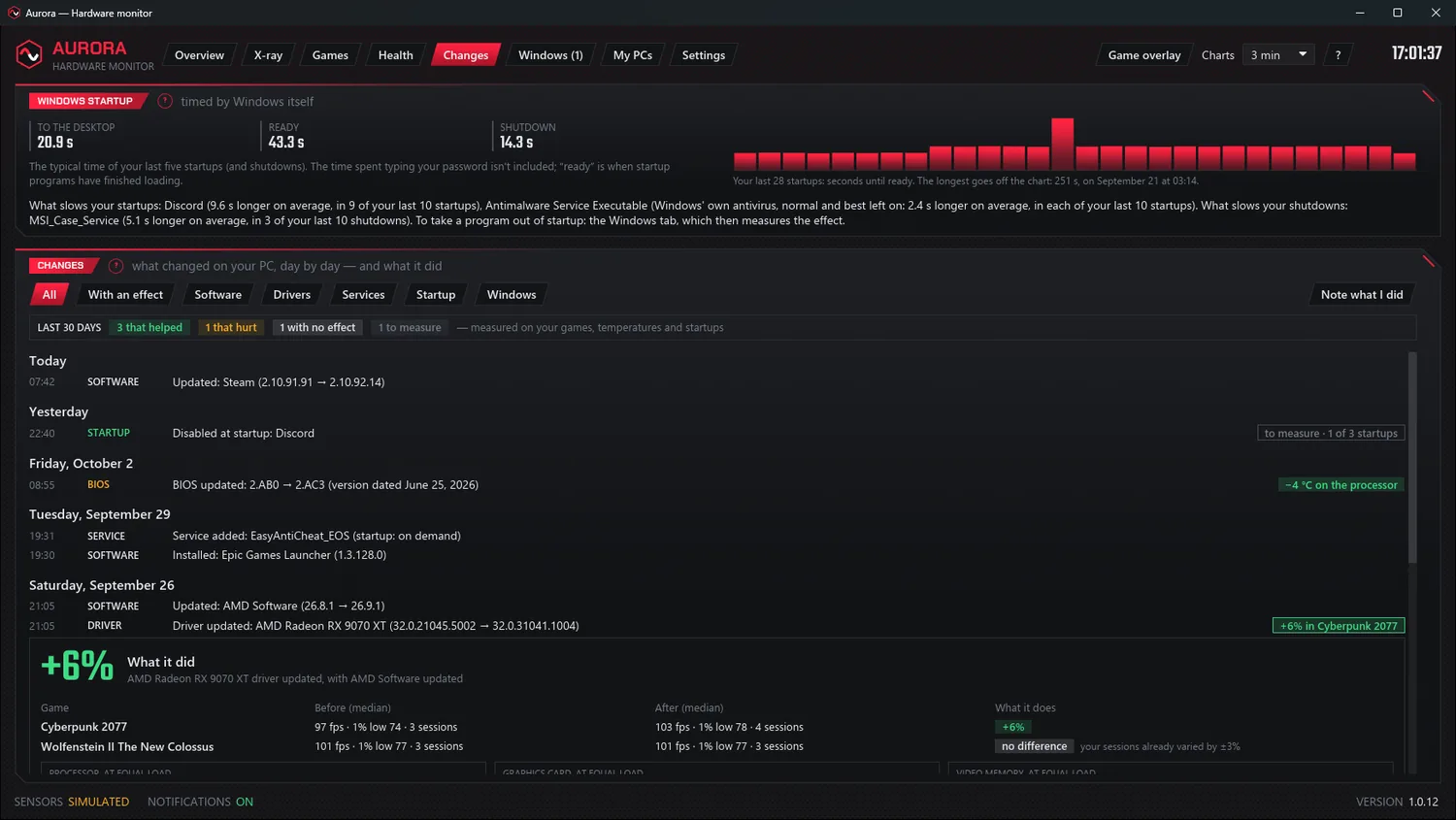
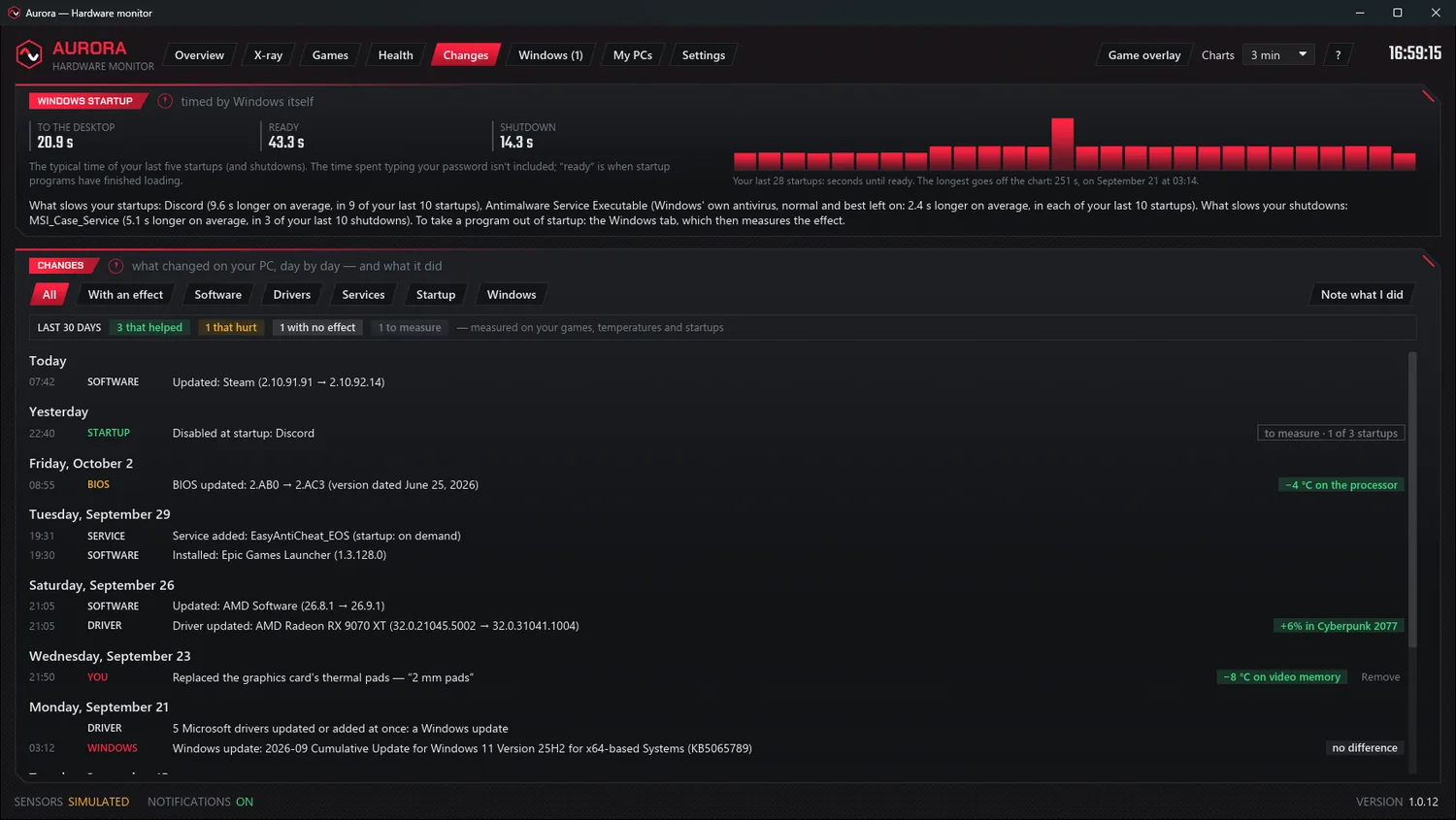
Drivers, updates, startup programs: what changed on the PC, day after day, linked to problems.
What limits the FPS
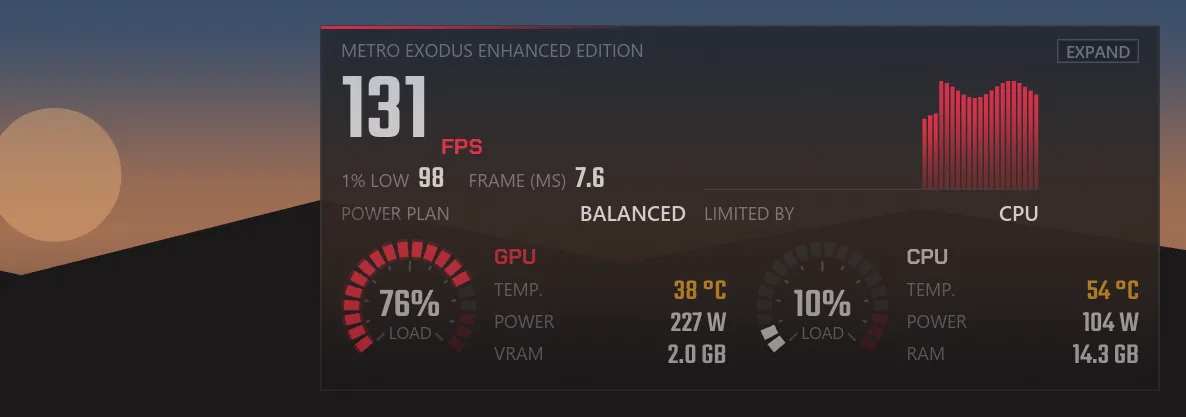
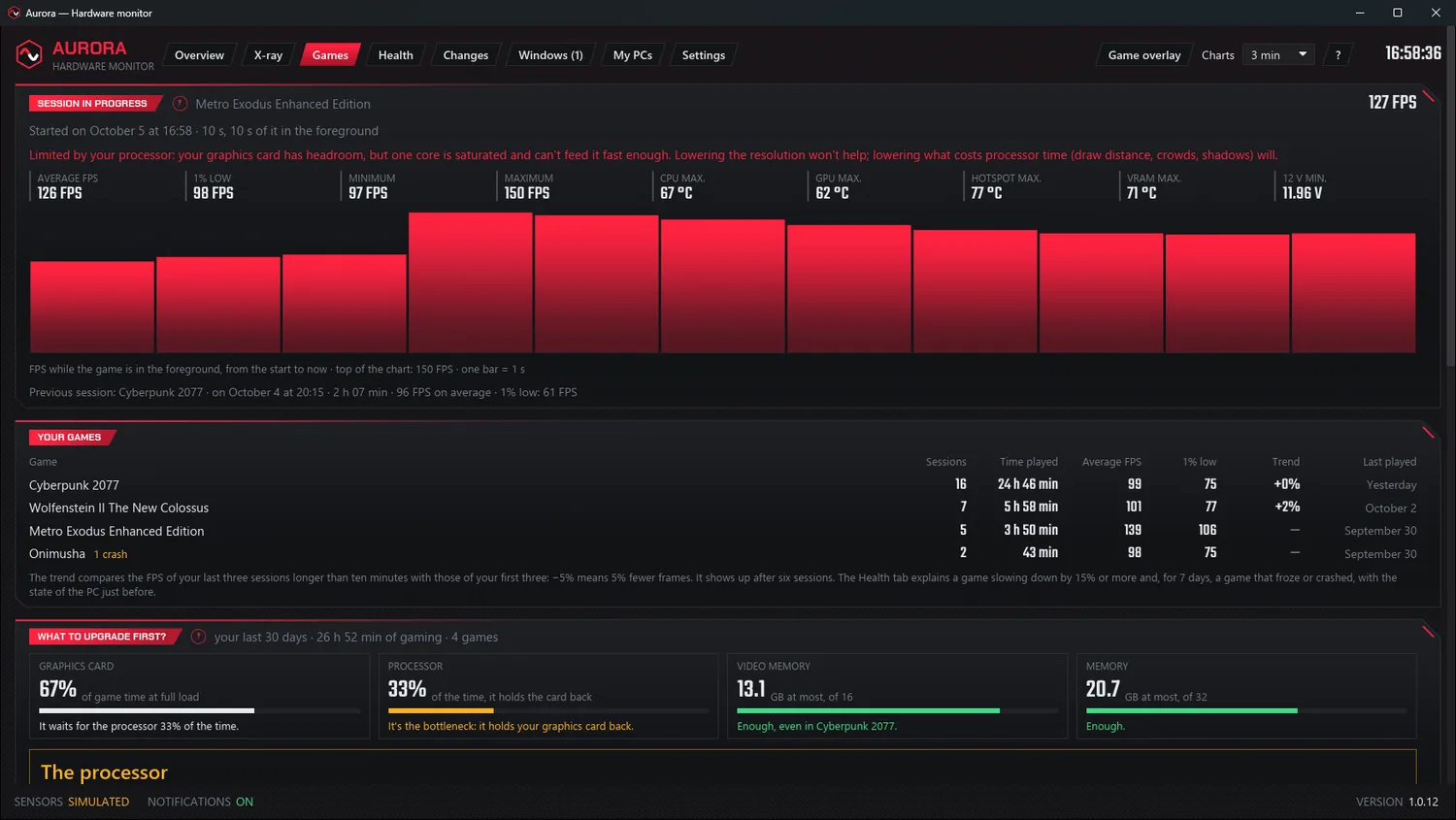
Live in the overlay: the graphics card maxed out, a processor core holding it back, or an FPS cap. And over 30 days, what to upgrade first.
The effect of every change
A graphics driver, a BIOS, a Windows update, a startup program: what it did, measured on its own before and after on games, temperatures and startup.
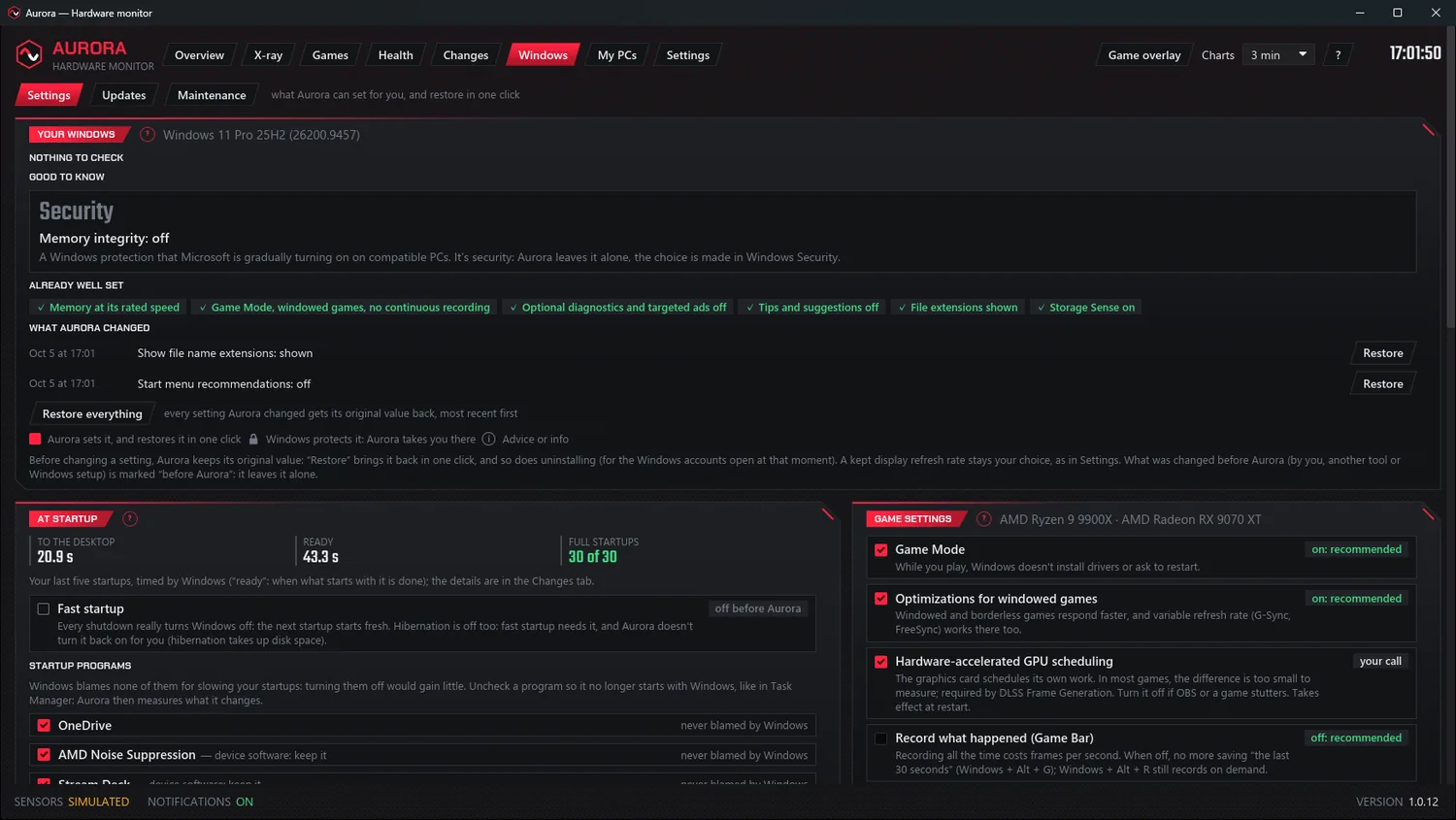
The Windows tab
Windows read in full, and tuned only if you check it, through official means: each setting goes back in one click, and never the protections.
Games
FPS, 1% low, an overlay, your games over time, and freezes or crashes explained with the state of the PC just before.
The X-ray, tower or laptop
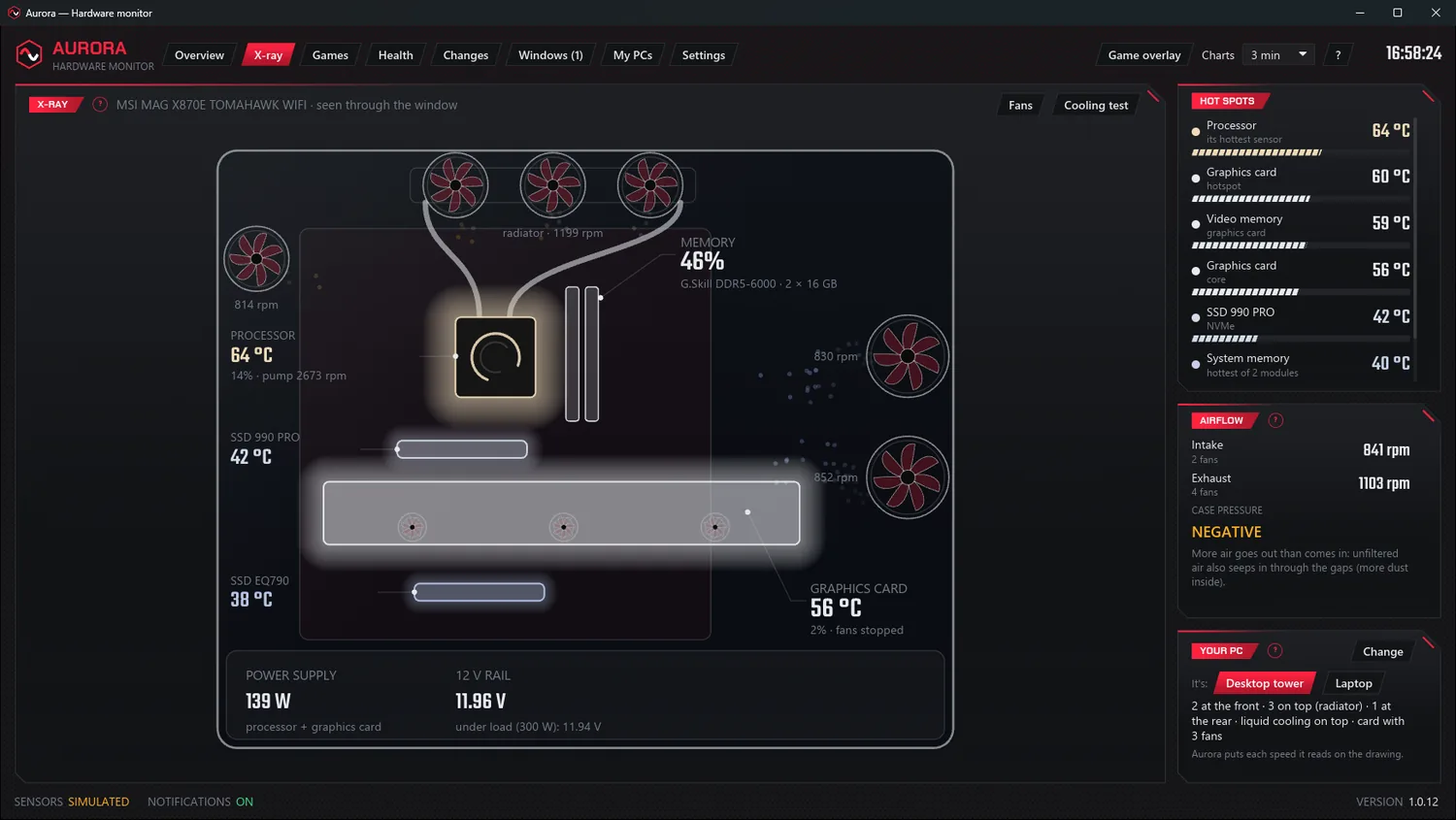
The PC drawn from the real one: its real fans, which you can name, the air flowing through, the hot spots, and a laptop's battery.
From one PC to another
Files sent between the PCs at home, encrypted and never through the Internet; their readings, the phone through a QR code, and seven Stream Deck keys.
Screenshots
The real Aurora, in demo mode. Twenty-five PNG screenshots in each language (1746 × 983, the in-game overlay, the updates panel, the report for the technician, duplicate files and what takes up the space): in English or in French (ZIP, 11.4 MB).



Videos
Aurora's channel, and two silent clips of the dashboard you can reuse.
- Aurora 1.0: the free PC monitor (in French) (YouTube)
- Your whole PC on one screen (in French) (YouTube Short)
- The Aurora channel
- The dashboard in motion: in English or in French (MP4, 8 s); the X-ray: in English or in French.
For a video
Film without showing your PC
Aurora has a demo mode, with simulated readings and “Sensors simulated” written at the bottom of the window. Press Windows + R, then: "C:\Program Files\Aurora\aurora.exe" --demo. No need to close your Aurora: the demo opens alongside, without administrator rights.
Topic ideas
- “Is my PC OK? A free app tells me in plain words”
- “Your display might be plugged into the wrong port”
- “Your temperatures on your Stream Deck, for free”
- “He's not a programmer, and he built his app with AI”
Who makes Aurora
“I've been building my own PCs for a long time, and I always wanted to know what's going on inside, in plain words rather than columns of numbers. I'm not a programmer: I created Aurora by working with an artificial intelligence (Claude, by Anthropic). It writes the code; I decide what Aurora should do and test it on my own machines. I made it for myself first, then shared it. It's free, and it will stay free. For a question or an interview, write to me at contact@auroraapp.ca: I answer myself.”
— Denis
Bio to copy
Aurora is made by Denis, a Quebecer who has been building his own PCs for years. Without being a programmer, he develops it with the Claude AI: the AI writes the code, he decides what Aurora should do and tests it on his machines.